
Proton Mail Review (2026): Privacy & Real Trade-offs
Proton Mail is one of the strongest mainstream choices for limiting what your provider can see, but the design has real costs in search, desktop clients and support. Here is who it suits, what it really protects, what each plan costs in 2026, and when I would pick Fastmail instead.

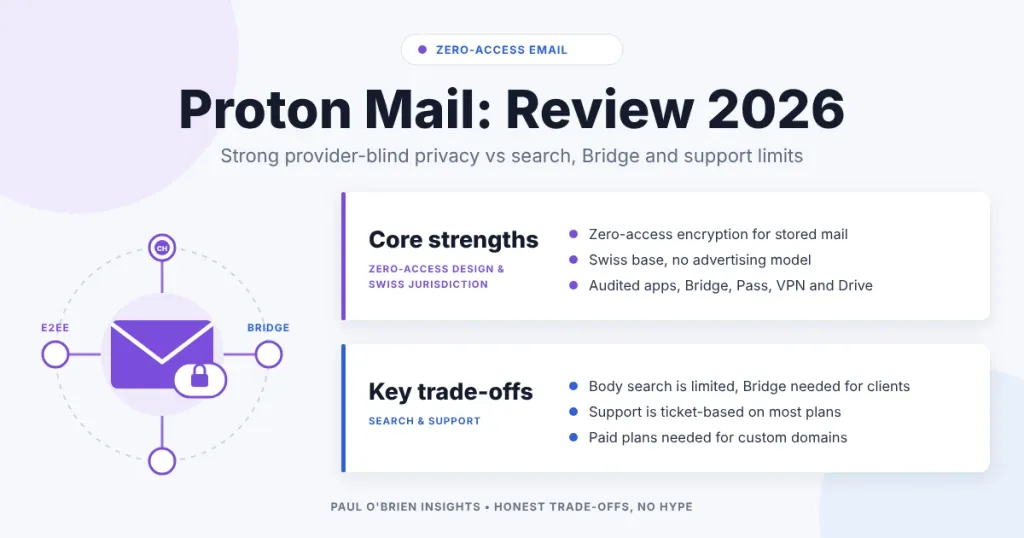
Proton Mail remains one of the strongest mainstream choices for reducing what your provider can see. The price of that design is a more constrained inbox: search is less seamless, desktop email clients need a helper app, and support has been hit and miss for me.
That structural privacy is the main reason people switch, even if the clean interface and the growing suite of companion tools are what make staying viable long term. Proton is built around a narrower trust boundary from the start, so it offers something more than a conventional inbox with extra privacy settings. The same design brings trade-offs in search, workflow flexibility and parts of the traditional desktop email experience. For some people those limits will feel like sensible boundaries. For others they will feel like needless inconvenience.
I have used Proton Mail on and off for several years. I have been a paying customer, a free-tier user and someone who stepped away entirely. I no longer use it as my primary inbox, and that distance is useful here. Writing about privacy tools while relying on them every day can blur the line between evaluation and habit. Working with a more conventional provider such as Fastmail or Google Workspace makes it easier to see what Proton does well structurally, and where the costs show up day to day.
Short answer: Proton Mail is worth it if reduced provider visibility is a real priority and you accept slower search and a helper app (Bridge) for desktop email clients. If you mainly want speed, flexibility and several custom domains, I prefer Fastmail. I explain who should pick which in Proton Mail vs Fastmail 2026: Privacy or Productivity?
A quick naming note: plenty of people still search for “ProtonMail” as one word, the name the service used before Proton rebranded. It is the same product, and this review covers it.
This is not a feature tour. It is a review of Proton’s privacy model, the risks it meaningfully reduces, the limits it cannot remove and the kind of user it suits. Proton is often described as “secure Gmail”, but that shorthand misses the point. It is not mainstream email with encryption added on top. It is an attempt to reduce provider visibility as a design principle, and whether that matters enough depends on your threat model and how you actually use email.
Prices and plan details checked on 7 October 2026.
Try Proton Mail free. There is a free plan to test the interface and workflow, and Proton’s paid plans carry a 30-day money-back guarantee (as listed on its pricing page in October 2026).
At a Glance: Who Proton Mail Is (and Isn’t) For
| User Profile | Best Fit? | Core Value Drivers / Key Trade-offs |
|---|---|---|
| Wants less provider access to stored inbox contents | Ideal | Proton’s core advantage is structural: it is designed to limit provider visibility by default. |
| Prefers a subscription-funded service to an ad-funded one | Strong fit | Proton says it is funded entirely by paying subscribers, which lines up with its privacy positioning. |
| Emails other Proton users regularly | Strong fit | Proton-to-Proton messages are end-to-end encrypted automatically. |
| Wants a free plan to test the model first | Strong fit | The free plan is a genuine trial, though it is capped (see the plans table below). |
| Wants a long-term primary inbox with a custom domain | Strong fit (paid) | Works well, but you need Mail Plus or Unlimited, and domain limits are tight (1 and 3). |
| Needs fast search across a very large archive | Partial fit | The privacy model makes search feel less seamless than on provider-indexed inboxes. |
| Lives in Apple Mail, Outlook or Thunderbird | Workable | Proton Bridge works, but it is an extra layer and needs a paid plan. |
| Values convenience and ecosystem integration above all | Alternative needed | Proton prioritises reduced provider visibility over deep integration. |
What Proton Mail Is Designed to Do
Most email services are built around convenience, integration and speed. In practice that means the provider can read stored message contents, index them centrally and build features on top of that visibility. Search is fast, automation is richer, and adjacent products tie together more tightly.
Proton starts from a different assumption: your provider should not routinely be able to read your stored inbox contents. That principle shapes the product more than any single feature.
Zero-access architecture: Proton describes its design as zero-access. In plain terms, stored messages are encrypted in a way that limits Proton’s ability to read them. If Proton were compelled to hand over stored inbox data, it could provide the encrypted data but not the readable contents without access to your keys. That does not make Proton immune to attack, and it does not remove all risk from email. It reduces provider-side visibility and makes mass content scanning or monetisation structurally harder. I go deeper in what zero-access encryption really means.
That distinction matters. A lot of privacy marketing treats trust as a promise. Proton’s stronger claim is architectural: trust is narrowed by design, not just by policy language.
What Proton’s Privacy Model Actually Protects
The practical value is that it changes incentives. Proton is funded by subscriptions, not advertising, so it has no need to turn inbox contents into an input for ad targeting or engagement. More importantly, stored message content is not routinely available to the provider in readable form. That reduces the risk of large-scale provider-side scanning and makes your inbox a less attractive data source in some infrastructure compromise scenarios.
How much protection you get depends on who you are emailing:
| Scenario | What protects the message |
|---|---|
| You and another Proton user | End-to-end encrypted, in transit and in storage. Proton cannot read the content. |
| Someone outside Proton emails you | TLS in transit, then zero-access encryption once it reaches Proton. The sender’s own provider may keep its copy. |
| You email someone outside Proton | TLS only by default, so the message is readable once delivered. A password-protected email, or a recipient using PGP or a Proton account, gives you stronger protection. |
| Subject lines, sender and recipient addresses | Not end-to-end encrypted. Subject lines are zero-access encrypted on Proton’s servers, but addresses and routing metadata stay visible to the email system. |
The limits become clear once you leave the Proton ecosystem. Password-protected messages add friction and depend on the recipient using a secure link. That is not a flaw unique to Proton so much as a reminder of what email is: a decades-old protocol built for interoperability, not universal secrecy. Proton narrows the risks within that reality. It does not rebuild email from scratch.
Know the limits on subject lines: Proton says it does not end-to-end encrypt subject lines because that would break compatibility with the OpenPGP standard. Treat the subject like a postcard heading: avoid putting anything sensitive in it, even though Proton encrypts it at rest on its servers.
What Proton Mail Does Not Eliminate
This is where many “privacy email” discussions turn vague, so let me be concrete. A privacy-focused architecture does not make email generally safe, and it does not remove the most common ways people lose accounts or expose sensitive information.
- Phishing and social engineering remain the dominant threats. Encryption does not stop you clicking a malicious link, handing over a password or approving a fraudulent login prompt. Proton offers two-factor authentication and hardware security key support, and I walk through the setup in my YubiKey and Proton Pass guide. Its Proton Sentinel programme adds stricter sign-in challenges for high-risk users, but among the personal plans it is listed only on Proton Unlimited, not Mail Plus.
- Metadata is a structural limit. Even when contents are encrypted, routing still reveals who contacted whom and when. SPF, DKIM and DMARC exist to improve trust and routing integrity, not secrecy; if you want the basics, see how email authentication works.
- Your identity is not hidden from Proton itself. I cover that gap in Proton Mail Protects Your Messages, Not Your Identity.
Proton is often over-credited for solving “email security” in a broad sense. It does not. What it does well is reduce provider visibility into stored message content. That is meaningful, but it is not the same as eliminating phishing, metadata or the inherited weaknesses of email.
Jurisdiction and Legal Access
Proton is based in Switzerland, which matters for legal access to data. Proton’s own support documentation says that getting at information such as sender and recipient addresses would need a court order approved by a Swiss judge. That is a higher bar than many providers face, but it is not a wall: a valid order is still a legal route to account metadata. If jurisdiction is central to your decision, my comparison of Swiss and German email privacy covers it in detail.
The Usability Trade-offs
Proton’s strengths and trade-offs are connected. When you reduce what the provider can see, you also limit what the provider can do easily on your behalf. It shows up most in search, automation and desktop-client workflows.
- Search across encrypted content can feel slower or less seamless than on a fully provider-indexed inbox. If you rely on instant search across tens of thousands of messages, you will notice.
- Automation and integrations are more constrained. The behavioural analytics and cross-product intelligence behind convenience features in mainstream ecosystems are mostly absent by design. Some people welcome that boundary. Others experience it as a loss of polish.
- Desktop clients need Proton Mail Bridge, a background app that handles encryption and decryption and exposes IMAP and SMTP to Outlook, Apple Mail and Thunderbird. It is only available on paid plans. It works, but it is an adapter layer rather than a native IMAP experience, and if you live in a conventional mail client it can feel heavier than expected.
- Day-to-day feel. Proton has come a long way, but in my browser it has often been slow to alert me to new messages until I refreshed the page. I prefer the speed and polish of Fastmail for everyday use.
None of this is accidental. These are consequences of constraining provider visibility. The question is not whether Proton has trade-offs, because it does. It is whether those trade-offs improve your security and privacy in ways that matter to your real life.
Proton Mail Plans and Pricing in 2026
Proton’s free plan is a genuine entry point: it lets you understand the interface and decide whether the model suits you before you pay. If you are considering a long-term primary inbox, though, the paid plans are where the practical value sits, because an address tied to banking, work, subscriptions and account recovery needs more storage, folders and a custom domain.
| Plan | Price | Storage | Addresses / Domains | Extras |
|---|---|---|---|---|
| Proton Free | £0 | Up to 1 GB | 1 address, no custom domains | 150 messages per day, 3 folders, 3 labels, 1 filter, 25 MB attachments. No IMAP/SMTP (Bridge) access. |
| Mail Plus | £3.99/month, or £3.19/month on 12-month billing (£38.28 per year) | 15 GB | 10 addresses, 1 custom domain | Unlimited folders, labels and messages, catch-all, auto-forwarding, IMAP/SMTP via Bridge, priority support, 10 hide-my-email aliases. |
| Proton Unlimited | £10.39/month, or £7.99/month on 12-month billing (£95.88 per year) | 500 GB | 15 addresses, 3 custom domains | Everything in Mail Plus, plus unlimited hide-my-email aliases, VPN, password manager, Drive and Proton Sentinel. Dedicated support. |
Prices in pounds sterling as listed on Proton’s pricing page on 7 October 2026. Proton runs promotional discounts on annual billing, so check the page for the current figure and for your local currency.
Service Quality and Support
Technical architecture matters, but email is also operational infrastructure. When an account is tied to financial services, identity verification or business access, support responsiveness becomes part of the risk assessment.
Public feedback on Proton support is mixed. Some users report helpful experiences, others describe delays or limited communication. My own experience has included slow responses through partner channels, and messages that went unanswered longer than I would want for something as important as email. Note that support tiers differ by plan: Proton lists priority support on Mail Plus and dedicated support on Unlimited, and neither on the free plan.
That does not disqualify the service. Supporting a large free and paid user base while building a privacy-focused platform is hard, and quality varies by issue type. But it is worth saying plainly: encryption architecture is only one part of reliability, and operational maturity matters too, especially if Proton will be your central identity inbox.
Comparative Matrix: Proton Mail vs. the Alternatives
| Feature | Proton Mail | Fastmail |
|---|---|---|
| Core philosophy | Zero-trust privacy and reduced provider visibility | Fast, standards-based, anti-surveillance email |
| Encryption model | Zero-access at rest; end-to-end between Proton users and with PGP contacts | Encrypted at rest, but Fastmail holds the keys |
| Desktop and app protocols | Proton apps, or Bridge (paid plans) for IMAP/SMTP clients | Native JMAP, IMAP, SMTP, CardDAV and CalDAV |
| Search | Less seamless on large archives | Instant server-side full-text search |
| Custom domains | 1 on Mail Plus, 3 on Unlimited | Up to 100 per account |
| Aliases | Hide-my-email aliases (10, or unlimited on Unlimited) | Masked Email, with 1Password and Bitwarden integrations |
| Free option | Free plan, capped at about 1 GB | 30-day free trial |
| Wider product range | Mail, Calendar, Drive, VPN, Pass and more | Email, calendar and contacts |
| Support (my experience) | Hit or miss | Usually a reply within a few hours |
| Headquarters | Switzerland | Australia |
| Full review | You are here | Fastmail review · Head-to-head |
| Try it | Proton Mail | Fastmail (10% off first year) |
If you want a different take on zero-access, Posteo makes it optional, and Tuta goes further on encryption with bigger convenience costs. Mailfence sits somewhere between.
Pros and Cons
| Strengths | Weaknesses |
|---|---|
| Zero-access design limits routine provider visibility into stored mail | Search is less seamless on large archives |
| Automatic end-to-end encryption between Proton users | Subject lines and metadata are not end-to-end encrypted |
| Subscription-funded, with no advertising model | Desktop clients need Bridge, which is paid-only |
| Swiss jurisdiction and a real free plan to try | Custom domain limits are tight (1 on Mail Plus, 3 on Unlimited) |
| Strong account protections, including security keys | Support has been inconsistent in my experience |
Frequently Asked Questions
Is ProtonMail the same as Proton Mail?
Yes. ProtonMail was the original one-word name, and the company now brands the service as Proton Mail, part of the wider Proton suite. If you are weighing it against Gmail, I explain why I made that switch in Gmail vs Proton Mail.
Is Proton Mail safe?
For its stated purpose, yes. Stored mail is zero-access encrypted, Proton-to-Proton messages are end-to-end encrypted, and the company is funded by subscribers rather than ads. But “safe” does not mean immune: phishing, weak passwords, metadata exposure and email’s inherited weaknesses all remain, so turn on two-factor authentication or a hardware key. My piece on what Proton does and does not protect goes through it.
What are the downsides of Proton Mail?
The main ones are less seamless search on large mailboxes, Bridge being a paid-only helper app for desktop clients, subject lines and metadata not being end-to-end encrypted, tight custom domain limits and support that has been inconsistent for me. The free plan is also capped, with 150 messages a day and three folders.
What does the Proton Mail free plan include?
On Proton’s pricing page in October 2026, the free plan includes up to 1 GB of storage, one email address, 150 messages per day, three folders and labels, one custom filter and 25 MB attachments. End-to-end encryption and password-protected emails are included, but custom domains and IMAP/SMTP access through Bridge are not.
Does Proton Mail encrypt subject lines?
Not end-to-end. Proton does encrypt subject lines on its servers with zero-access encryption, but they are not end-to-end encrypted, which keeps Proton compatible with the OpenPGP standard. Keep sensitive details out of the subject.
Can I use Proton Mail with Apple Mail or Outlook?
Yes, through Proton Mail Bridge, which runs on macOS, Windows and Linux and works with Outlook, Apple Mail and Thunderbird. It needs a paid plan, and it adds a layer that feels heavier than a native IMAP account.
Is Proton Mail worth paying for?
If you want to use it as a long-term primary inbox, usually yes. Mail Plus adds a custom domain, unlimited folders and labels, Bridge and priority support from £3.19 a month on annual billing. Try the free plan first to find out whether the workflow suits you before you commit.
Final Verdict: Who Proton Mail Is Actually For
Proton Mail is not the best inbox for everyone, and it is not trying to be. What it still offers unusually well in 2026 is a mainstream email service built around a real attempt to limit provider visibility into stored message contents. That is a design choice, not a branding exercise, and it changes the incentives and technical posture of the product.
The trade-offs are equally real. Proton does not remove phishing, metadata exposure or the broader weaknesses of email, and it adds friction where mainstream providers feel faster or more flexible. Those costs are part of the package, not temporary rough edges.
It suits people who care about limiting provider access to inbox contents, accept moderate workflow trade-offs for it, and prefer subscription-funded services to ad-funded ones. It is a weaker fit if you rely on instant search across a huge archive, live in a native IMAP workflow or value convenience above all. In that case Fastmail, Mailfence or Google Workspace may be more practical. For a sharper view on whether you need this level of protection, read who zero-access email is actually for.
If Proton’s privacy model matches how you think about risk, try Proton Mail on the free plan first and upgrade once it fits your workflow.
Try Proton Mail free. Start on the free plan, and Proton’s paid plans carry a 30-day money-back guarantee (as listed in October 2026).
Disclosure: This article contains affiliate links for Proton and Fastmail. If you sign up through them, I may earn a commission at no extra cost to you. I only recommend services I have used and would be comfortable recommending, and the partnerships do not change my verdict.

