
Posteo Review (2026): Is €1/Month Privacy Worth It?
Posteo costs €1 a month and is far more serious than that sounds: no personal details at signup, an optional zero-access mailbox and green power. It has no custom domains, which is why it isn't my main inbox. Here is who it suits and how it compares with Proton Mail and StartMail.

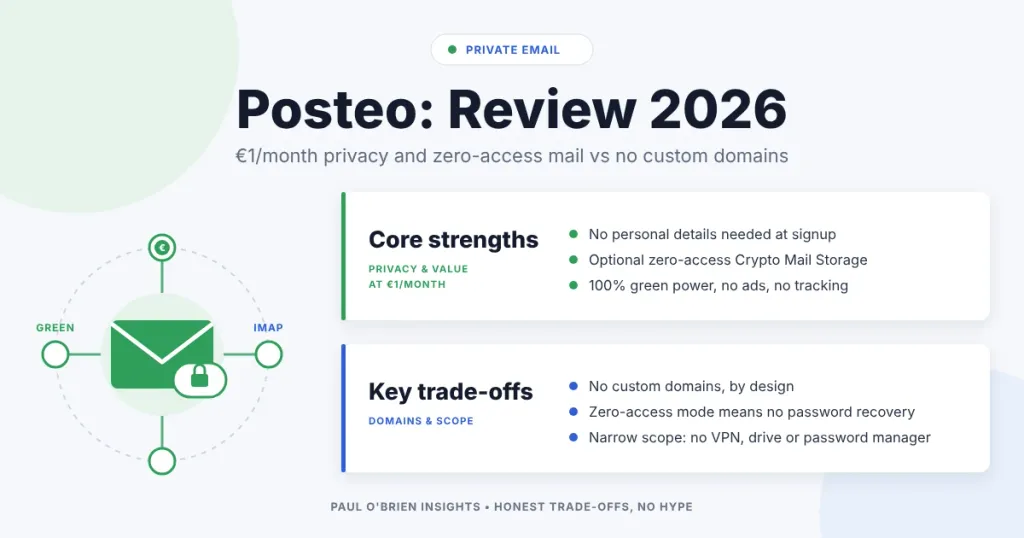
Posteo costs €1 a month, and it is a much more serious email service than that price suggests. It asks for no personal details at signup, offers an optional zero-access mailbox, and runs on green electricity. It does not support custom domains, and that is the one thing that stops it being my main inbox.
That price makes it easy to underestimate. In a market where privacy-focused providers often cost five to ten times as much, €1 implies something basic. Once you open an account and put it through its paces, that assumption falls apart.
I opened an account, prepaid €12 for the year and tested it properly. I don’t usually pay purely for review purposes, but Posteo refunds any credit you have paid in full if you cancel within the first month, so testing the full paid experience was a low-risk call. This review covers what I found, what it costs, how it compares with Proton Mail and StartMail, and who should pick it.
Short answer: Posteo is excellent value if you want a privacy-first mailbox and don’t need your own domain. It doesn’t support custom domains, so if you do need one, look at Fastmail, StartMail or Proton Mail instead.
At a Glance: Who Posteo Is (and Isn’t) For
| User Profile | Best Fit? | Core Value Drivers / Key Trade-offs |
|---|---|---|
| Privacy-minded individual who wants a low-cost inbox | Ideal | €1/month, no personal details at signup, payment not tied to mailbox identity. |
| Second inbox for sign-ups and sensitive accounts | Ideal | Aliases, strong security controls and a clean separation from your main identity. |
| Someone who wants provider-blind stored mail | Strong fit | Optional Crypto Mail Storage, but lose your password and the mailbox is gone. |
| Standard IMAP user with Thunderbird or Apple Mail | Strong fit | Conventional protocols, S/MIME and OpenPGP, no proprietary bridge. |
| Anyone who needs a custom domain | Alternative needed | Posteo does not support your own domain, by design. |
| Teams, families or businesses wanting shared admin | Alternative needed | Built for individual accounts, not shared domains or business tooling. |
What Posteo Is
Posteo is an independent, German email provider. It stays in its lane: email, plus the basics around it (calendar, address book, notes). There is no cloud storage suite, no VPN and no password manager. Signup doesn’t require personal details, and payment information isn’t tied to mailbox identity. That focus shows up in the details.
| Fact | Detail |
|---|---|
| Base price | €1 per month |
| Included storage | 4 GB, expandable up to 75 GB |
| Included aliases | 3, expandable up to 25 |
| Calendar, contacts and notes | Included (calendar and address book via CalDAV and CardDAV) |
| Hosting | Secure data centre in Germany, under German and EU law |
| Power | 100% green electricity from Green Planet Energy, covering servers and office space |
| Funding | User fees only. No ads, no investors, no loans (Posteo’s own statement). |
Signup and First Impressions
Registration doesn’t ask for your name, phone number or address. How anonymous you are in practice still depends on how you pay and how you use the account, but the default posture is clearly “collect less”. Posteo says it doesn’t retain traffic data such as IP addresses tied to accounts. The point isn’t that you become invisible online (email can’t do that). It is that the service is designed to know as little about you as possible by default.
You can pay by bank transfer, cash, PayPal or credit card. Cash and one-time payment codes are there for people who want to minimise the link between payment identity and mailbox identity. The minimum top-up is €12, which is roughly a year of fees, and the checkout spells out your right of revocation and refund terms.
Inside the account, the interface is responsive and organised without feeling heavy. Mail, attachments, address book, calendar, notes and settings sit in clearly separated sections. When you write a new email, it defaults to plain text rather than HTML. You can switch to HTML in settings, but the default tells you something about the priorities: email as writing first, formatting second. Plain text reduces tracking surfaces, avoids unnecessary formatting code and keeps messages small and interoperable. It feels a bit retro, in a good way, with modern security underneath.
The interface is available in English as well as German, so you don’t need any German to use it.
Sensible Defaults, Adjustable When Needed
Posteo sets conservative defaults without locking you into them:
- Spam and virus mail is rejected by default. You can enable a Spam folder (suspected spam is delivered there) or a Spam log (rejected messages are listed for review). The two are mutually exclusive. I enabled the Spam folder, because I would rather see borderline mail than have it silently dropped.
- IMAP and POP can be switched off. If you only use webmail, disabling them and adding two-step verification is a simple way to lock the account down.
- Deletion alerts trigger if more than 50 emails are removed within 24 hours, and you can adjust that threshold.
Account Security
Posteo supports two-factor authentication through standard authenticator apps (TOTP), and you can create app-specific passwords for devices. Seven-day rolling backups allow you to restore deleted emails, contacts and calendars within that window.
The transport controls are particularly good. You can enforce encrypted transport, and if a secure TLS connection can’t be established Posteo aborts the transaction and tells you. Posteo also supports DANE, which helps protect mail in transit between servers. For context on how email authentication works at the protocol level, see my explainer on SPF, DKIM and DMARC.
In webmail, I did notice it logged me out fairly quickly at times, which can be annoying when you jump in and out. It fits the overall approach: shorter sessions reduce the window of exposure if you are on a shared machine or a session token gets abused. Posteo also describes itself as tracking-free (no analytics trackers).
Crypto Mail Storage: An Optional Zero-Access Mode
Posteo includes an optional feature called Crypto Mail Storage. The name is slightly misleading, because it has nothing to do with cryptocurrency. In practical terms, it is an optional zero-access setup for your stored mailbox.
When you enable it, Posteo encrypts your stored emails and notes in a way that means the company can no longer read them. Access depends on your password. There is no backdoor and no recovery key held by the provider. If Posteo were ever compelled to hand over mailbox contents, it could only provide encrypted data. It also changes what a breach looks like: someone who compromised a server, backups or storage hardware would walk away with encrypted files, not a readable inbox.
Know the limits: Once full-mailbox encryption is on, the “forgotten password” function no longer applies. If you lose your password, your encrypted data can’t be restored, by you or by Posteo. That is the point of zero-access: if recovery were possible, so would provider-side access. It also doesn’t protect you if your password or device is compromised.
For people who care about limiting what the provider can see, this is unusually strong at this price. For others it may feel unnecessary. Personally, I like it. Once it is enabled, I know my stored mail isn’t something the provider can “helpfully” unlock.
Encryption Options: S/MIME and OpenPGP
Posteo also offers low-cost S/MIME certificates (€3.65 per year), signed by an official certification authority. Certificates can be generated in your account settings, with private keys created locally and not stored on Posteo’s servers.
For most people the immediate benefit of S/MIME is digital signing. Signed emails prove authenticity and integrity, which is useful even if recipients don’t use encryption. Encryption becomes possible when both sides use S/MIME, and it works best in local clients such as Thunderbird or Apple Mail. OpenPGP can be used through Mailvelope in the browser or through dedicated local clients.
Advanced users can also have newly arriving mail encrypted automatically with their public key. That needs proper setup in a local client and carries the risk of permanent data loss if you misplace your keys, so only enable it if you are confident you won’t.
Proton Mail takes a different approach, prioritising automatic encryption inside its own ecosystem (see my full Proton Mail review). Posteo leans on established standards while staying compatible with conventional email clients.
Privacy and Data Minimisation
A lot of email privacy talk starts and ends with encryption. Posteo also focuses on what data gets created in the first place:
- Payment separation. Payment is handled so it isn’t linked to mailbox identity.
- IP stripping. Posteo says it removes your IP address from messages sent through the web interface.
- Encrypted disks. Server disks are AES-encrypted, which limits the impact of physical theft. It isn’t end-to-end encryption, but it is a sensible baseline.
- Calendar and address book encryption are available if you want to encrypt those with your password.
Does Posteo Support Custom Domains?
No. Posteo’s FAQ says it is an email provider with a particular, privacy-oriented model, and that this is not compatible with incorporating your own domains. Domain registration involves identity data, and supporting custom domains would mean storing and associating personal information with accounts.
What you do get is a choice of Posteo’s own address endings. You can pick from 13 for your main address (including posteo.de, posteo.com, posteo.net and posteo.uk) and use many more for aliases. They are all Posteo’s domains, not yours.
I respect the consistency. It is a clear line in the sand, and it matches the rest of the service: collect less, store less, link less. But custom domains are central to how I manage my online identity (see why using your own email domain makes sense), so it is the reason Posteo isn’t my primary inbox. If it supported them, I would seriously consider moving.
If you need your own domain: StartMail includes one custom domain on its Personal plan, Proton Mail includes one on Mail Plus, and Fastmail supports many more. Posteo is the right choice only if a Posteo address is fine for you.
Posteo Plans and Pricing
There is one plan. You pay for what you add. Prices as listed on Posteo’s own pages in October 2026.
| Item | Price | What you get |
|---|---|---|
| Posteo account | €1 per month | 4 GB storage, 3 aliases, 3 calendars, address book, notes, webmail and IMAP/POP |
| Extra storage | €0.25 per GB per month | Expandable up to 75 GB |
| Extra aliases | €0.10 per alias per month | Expandable up to 25 |
| Extra calendars | €0.10 per calendar per month | Beyond the 3 included |
| S/MIME certificate | €3.65 per year | Optional, for signing and encryption |
| Minimum top-up | €12 | Roughly a year of fees |
Posteo refunds any credit you have paid in full if you cancel within the first month, so you can test the full paid experience. After that, remaining credit can still be paid back on termination by bank transfer, and PayPal payments made in the last 60 days can be reversed.
Support and Transparency
Support is handled by people, not bots. The team works defined weekday hours and offers multilingual assistance. They say they don’t use a ticketing system, don’t build customer profiles from support conversations and delete correspondence a short time after a case is closed. I tested it with a simple question and got a friendly reply just under 48 hours later, so it isn’t fast, but it is human.
Posteo publishes a transparency report and detailed documentation of its privacy and security practices, and operates under German and EU law within the GDPR framework.
Sustainability (and Why It Fits)
Posteo talks about sustainability more than most email providers, and in a way that matches how the service is built. It says the whole operation runs on 100% green electricity from Green Planet Energy, covering servers and office space, and that it uses energy-efficient hardware sized to what it needs.
More interesting to me is how it describes the business. Posteo says it has no investors, no loans and one source of income: the fees users pay. That reinforces the theme running through the privacy side of the product. Fewer outside incentives means less pressure to monetise attention or data. None of this makes Posteo “more private” by itself, but it explains the character of the service: user-funded, independent and built around clear principles.
Comparative Matrix: Posteo vs. the Alternatives
These providers don’t solve exactly the same problem. The useful question isn’t “which is best?” but “what is each one structurally optimised for?”
| Feature | Posteo | Proton Mail | StartMail |
|---|---|---|---|
| Optimised for | Data minimisation and strong security controls within a conventional email model | Reduced provider visibility by default inside its own ecosystem | Identity control and interoperability (aliases plus IMAP/SMTP) |
| Starting price | €1 per month | Free tier; Mail Plus £3.19 per month billed yearly (October 2026) | $4.99 per month ($59.88 billed annually) |
| Custom domains | Not supported | 1 on Mail Plus, 3 on Unlimited | 1 on Personal, unlimited on Business |
| Storage included | 4 GB (up to 75 GB) | 1 GB free; 15 GB Mail Plus | 20 GB Personal |
| Aliases | 3 included, up to 25 | 10 on Mail Plus | Unlimited |
| Encryption approach | Optional Crypto Mail Storage, S/MIME, OpenPGP | Zero-access by default, end-to-end between Proton users | Standard email with optional PGP; less enforced by default |
| Standard IMAP clients | Yes, directly | Paid plans, through Proton Bridge | Yes |
| Based in | Germany | Switzerland | The Netherlands |
| Full review | You are here | Proton Mail review | StartMail review |
| Try it | Posteo (not an affiliate link) | Proton Mail | StartMail |
Using Posteo in Practice
Day to day, it behaves exactly how an inbox should. Delivery has been dependable, IMAP sync across devices works without fuss and filters do what they say. The interface fades into the background quickly. After the initial setup there is very little to think about, and that is a compliment. Nothing feels experimental or rushed.
I’m also the sort of person who can’t leave settings alone, so I went through the options properly: spam handling, security controls, folders and the privacy toggles. It is a surprisingly complete setup for something this simple on the surface, and it gives you a lot of control without turning into a mess of complexity.
Pros and Cons
| Strengths | Weaknesses |
|---|---|
| €1 per month with 4 GB, calendar, contacts and notes | No custom domains |
| No personal details at signup; payment kept separate from the mailbox | Webmail logs you out quickly at times |
| Optional zero-access Crypto Mail Storage | Zero-access mode removes password recovery |
| TOTP two-factor, app passwords, enforced TLS and DANE | Encryption isn’t automatic by default; S/MIME and OpenPGP need local setup |
| Plain-text-first, tracker-free interface | Support replies can take close to two days |
| Independent, user-funded, 100% green electricity | Narrow scope: no VPN, drive or password manager |
Frequently Asked Questions
Does Posteo support custom domains?
No. Posteo says its privacy-oriented model isn’t compatible with using your own domain. You can choose from Posteo’s own address endings, but not your own. If you need a custom domain, consider Fastmail, StartMail or Proton Mail.
How much does Posteo cost?
€1 per month, including 4 GB of storage and 3 aliases. Extra storage is €0.25 per GB per month and extra aliases are €0.10 each per month. The minimum top-up is €12, roughly a year.
Is Posteo really private?
It is built to collect as little as possible: no personal details at signup, no IP addresses retained against accounts (Posteo’s statement), payment separated from the mailbox and IP stripping on webmail sends. Stored mail is readable by Posteo unless you turn on Crypto Mail Storage. Like any normal email, messages to other providers are only as private as the other side makes them.
Can I use Posteo in English?
Yes. Posteo is a German company, but the website, webmail and help pages are available in English.
Does Posteo have a VPN?
No. Posteo is email, calendar, contacts and notes, with no VPN or other bundled services. If you want a bundle, Proton’s Unlimited plan includes a VPN.
What happens if I forget my password with Crypto Mail Storage on?
Your encrypted mailbox can’t be recovered. With full-mailbox encryption enabled, Posteo has no way to reset your password or read your data. Store the password in a password manager before you switch it on.
Can I get a refund?
If you cancel within the first month, Posteo refunds any credit you have already paid in full. After that, remaining credit can be refunded by bank transfer when you terminate the account.
The Bottom Line
For what you’re paying, it is hard not to be impressed. Posteo is great value, takes privacy seriously, gives you real security controls and runs on green energy. I went in expecting a €1 service to be limited, but it isn’t. It is a solid email provider that has chosen to stay focused.
The privacy posture shows up early, and security is the same story: not flashy, but serious. 2FA, app passwords, restores within a seven-day window and stricter transport controls are all there. Then there is the big one: Crypto Mail Storage. If you enable it, you are choosing a model where Posteo can’t help you back in, and for some people that is the most appealing feature of the whole service.
The only reason I’m not making Posteo my main inbox is custom domains. If domain support isn’t central to how you manage email, this is one of the easiest recommendations in the category. I like it enough that I’m keeping it as a second inbox: great value, privacy-respecting by default, and email done properly without the baggage.
Next Steps
The simplest test is to open an account and run it alongside your current inbox for a couple of weeks. Start with non-critical mail, turn on two-factor authentication, try the spam settings and add it to your usual devices over IMAP.
If encryption is part of why you’re here, treat it as a separate test. S/MIME and OpenPGP are properly supported, but they aren’t automatic, and that usually means setting things up in a local client. If you want stored mail to be zero-access, enable Crypto Mail Storage with your eyes open about the lost safety net. Finally, notice how it feels once the novelty fades: does plain text by default suit how you write, and does the lack of custom domains matter more or less than you expected? You can cancel within the first month for a full refund of unused credit, so the trial is low-risk.
Disclosure: This article contains affiliate links for Proton Mail, StartMail and Fastmail. If you sign up through them, I may earn a commission at no extra cost to you. The Posteo links are not affiliate links. I only recommend services I have used and would be comfortable recommending.

