
Proton Mail to Fastmail: Why I Switched and How to Move
I still care about privacy, but I moved my main inbox from Proton Mail to Fastmail. Here’s why, what I kept at Proton, and the exact steps to switch without losing mail or changing your address.

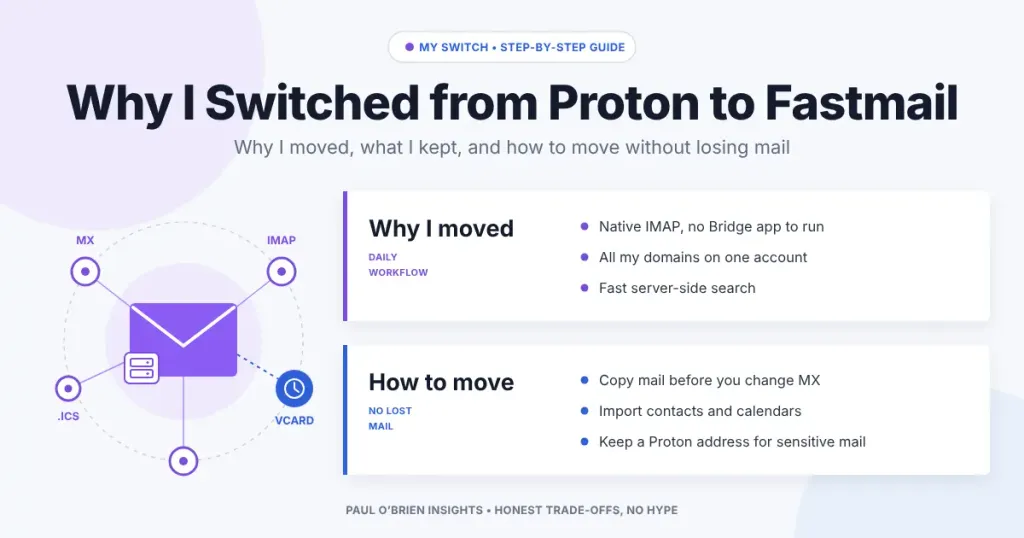
I still care about email privacy as much as I did when I moved to Proton Mail. But in February 2026 I moved my main inbox to Fastmail. This is why I switched, what I kept at Proton, and the exact steps I followed, so you can make the same move without losing mail or changing your address.
If you want the full side-by-side on features, encryption and pricing, read my Proton Mail vs Fastmail comparison. This post is the personal story and the practical how-to.
Reader offer: 10% off Fastmail. Try Fastmail free for up to 30 days, then get 10% off your first year.
At a Glance: Should You Move from Proton to Fastmail?
| User Profile | Best Fit? | Key Trade-offs |
|---|---|---|
| Uses several custom domains | Strong fit | Fastmail includes up to 100 domains on its standard plans; Proton Mail Plus allows one |
| Lives in a desktop mail client | Strong fit | Native IMAP, SMTP, CalDAV and CardDAV, with no Bridge app to keep running |
| Has a large archive to search | Strong fit | Server-side search is fast; Proton searches encrypted mail on your device |
| Needs zero-access encryption | Alternative needed | Fastmail can technically read stored mail; Proton can’t |
| Journalist, activist or high-risk user | Alternative needed | Stay with Proton, or keep a Proton address for sensitive contacts |
This Isn’t a U-Turn on Privacy
I moved to Proton Mail to get away from advertising-funded inboxes, and I wrote about that move in Gmail vs Proton Mail. That reasoning still stands. I won’t go back to a free inbox that pays for itself with my data.
What changed was my threat model. I’m not a journalist protecting sources. For my everyday mail, the risk I actually face is an account takeover or a service I can’t work with efficiently, not a government demanding my inbox. Proton’s zero-access encryption is excellent, but it comes with costs I was paying every day for protection I mostly didn’t need.
Where Proton Started to Feel Constrained
Cost against flexibility
I run several domains and use a lot of addresses. On Proton, domains and addresses are tied to plan tiers. As listed on Proton’s pricing page in October 2026, Mail Plus includes one custom domain and 10 addresses, and Proton Unlimited includes three domains. My setup kept pushing me towards higher plans. Fastmail’s account limits allow 100 custom domains on its standard plans, and its aliases cover everything I need on one account.
Workflow friction
Proton uses its own encrypted API, so a normal mail client can only talk to it through Proton Bridge, a small app that runs on your computer and translates between the two. It works, but it’s one more thing to install, keep running and troubleshoot, and it doesn’t help on a phone’s built-in mail app. Search was the other daily irritation. Because Proton can’t read your mail on its servers, it has to search on your device, and on a large archive that felt slow.
Support Started to Matter More
The longer I ran my email as part of my work, the more I valued getting a quick, competent answer. My experience with Fastmail’s support has been fast and helpful. With Proton, a partner query I sent went unanswered for months. One experience doesn’t prove a pattern, but I’ve written more about why email provider support needs a rethink.
The trigger in the end was mundane: my Proton renewal date came round, and I had to decide whether to pay for another year.
What Fastmail Gives Me Day to Day
- Standard protocols: IMAP, SMTP, CalDAV and CardDAV work in any client, with no helper app.
- Fast search: results across years of mail come back almost instantly.
- Domains and aliases: all my domains on one account, plus masked email addresses for sign-ups.
- Storage: 50 GB for mail and 10 GB for files on the Individual plan.
Fastmail doesn’t offer zero-access encryption, and I go into what that means in my Fastmail security and privacy deep dive. For my main inbox, I’m comfortable with that trade.
How to Move from Proton Mail to Fastmail, Step by Step
This is the order I followed. The key point is that Fastmail’s import tool can’t reach Proton directly, because Proton has no standard IMAP access from the internet. You move your mail through a desktop mail client instead.
| Step | What you do | Where |
|---|---|---|
| 1. Open a Fastmail account | Sign up for the trial and choose your plan | Fastmail |
| 2. Add your domain | Add your custom domain but leave the MX records alone for now | Fastmail Settings, Domains |
| 3. Move your mail | Connect both accounts to one mail client and drag folders across | Proton Bridge plus Apple Mail or Thunderbird |
| 4. Move contacts and calendars | Export a vCard and ICS files from Proton, import them into Fastmail | Proton Settings, then Fastmail Settings, Migration |
| 5. Switch your DNS | Replace Proton’s MX, SPF and DKIM records with Fastmail’s | Your domain registrar or DNS host |
| 6. Catch stragglers | Copy anything that arrived during the switch and keep Proton for a few weeks | Both |
1. Set up Fastmail and add your domain
Start the Fastmail trial, then add your domain under Settings. Fastmail shows you the exact DNS records it needs. Don’t change your MX records yet: until you do, new mail keeps arriving at Proton, and nothing is lost while you copy the old mail.
2. Copy your mail with Proton Bridge
Install Proton Bridge (it needs a paid Proton plan) and add your Proton account to a desktop mail client using the settings Bridge gives you. I used Apple Mail on a Mac. Then add your Fastmail account to the same client using normal IMAP. Once both have synced, drag your folders from Proton to Fastmail. Do the big folders one at a time and let each finish.
No paid Proton plan? The free Proton Mail Export Tool saves your mail as EML files. You can open those in a mail client connected to Fastmail and copy them across. It’s slower, but it doesn’t need Bridge.
3. Move contacts and calendars
Export your contacts from Proton as a vCard file and each calendar as an ICS file. In Fastmail, go to Settings, then Migration, and import them. Check that recurring events and contact photos came across before you delete anything.
4. Switch your domain
This is where owning a custom domain pays off. At your DNS host, swap Proton’s MX records for Fastmail’s, replace the Proton entry in your SPF record and add Fastmail’s DKIM records. Keep your DMARC record, and check it still passes afterwards. If any of those terms are new, my guide to SPF, DKIM and DMARC explains them. Most changes take effect within hours, and nobody who emails you has to do anything: your address stays the same.
5. Mop up
For a day or two, some senders may still deliver to Proton. Copy those messages across with Bridge, or turn on Proton’s automatic forwarding to your Fastmail address. Forwarding to a non-Proton address turns off end-to-end encryption for that address, which is fine for a short handover. Then update any accounts that used a @proton.me address you plan to stop using.
If you only use a @proton.me address: you can’t take that address with you. Set up forwarding, then change your address on each account over a few weeks, starting with your bank, your password manager and anything you use to recover other accounts.
A Pragmatic Split: I Didn’t Leave Proton Entirely
I kept a @proton.me address. I use it for sensitive sign-ups and for anything where I’d want zero-access encryption, and I still use other Proton services. You don’t have to pick one provider for everything. Fastmail handles the bulk of my mail, and Proton handles the small part that needs its stronger protection. My Proton Mail privacy guide covers what Proton does and doesn’t hide.
Frequently Asked Questions
Can Fastmail import directly from Proton Mail?
Not directly. Proton doesn’t offer standard IMAP access over the internet, so Fastmail’s import tool can’t log in to it. Use Proton Bridge with a desktop mail client, or the Proton Mail Export Tool.
Will I lose any email during the switch?
Not if you copy your mail before changing your MX records, and keep your Proton account open for a few weeks afterwards to catch anything delivered late.
Do I need a paid Proton plan to migrate?
Proton Bridge needs a paid plan. The Proton Mail Export Tool is free, so you can still get your mail out on the free plan.
Can I keep my Proton address?
Yes, as long as you keep the account. A free Proton account is enough if you only need the address for occasional use. I kept mine for sensitive sign-ups.
Is Fastmail less private than Proton?
Fastmail encrypts your mail in transit and at rest, but it holds the keys, so it can access stored mail. Proton can’t. Fastmail is still ad-free and funded by subscriptions. Whether that difference matters depends on who you’re protecting yourself from.
How long does the move take?
Setting things up takes an hour or so. Copying a large archive can take longer, but it runs in the background. The DNS change itself is a few minutes of work.
The Bottom Line
I left Proton for practical reasons, not because I stopped caring about privacy. Fastmail fits the way I work: lots of domains, a desktop mail client and a big archive I need to search. If your setup looks like mine and you don’t need zero-access encryption for everyday mail, Fastmail is worth trying. Keep a Proton address for the mail that needs it.
Reader offer: 10% off Fastmail. Standard protocols, fast search and room for all your domains. Try it free for up to 30 days, then get 10% off your first year.
Disclosure: This article contains affiliate links for Fastmail and Proton. If you sign up through them, I may earn a commission at no extra cost to you. I only recommend services I personally use and trust.

