
Google Workspace Security Review (2026): What Each Plan Includes
Google Workspace's strongest security tools sit on the higher tiers. Here is what Business and Enterprise plans include, how the 99.9% SLA works, and which edition suits your risk.

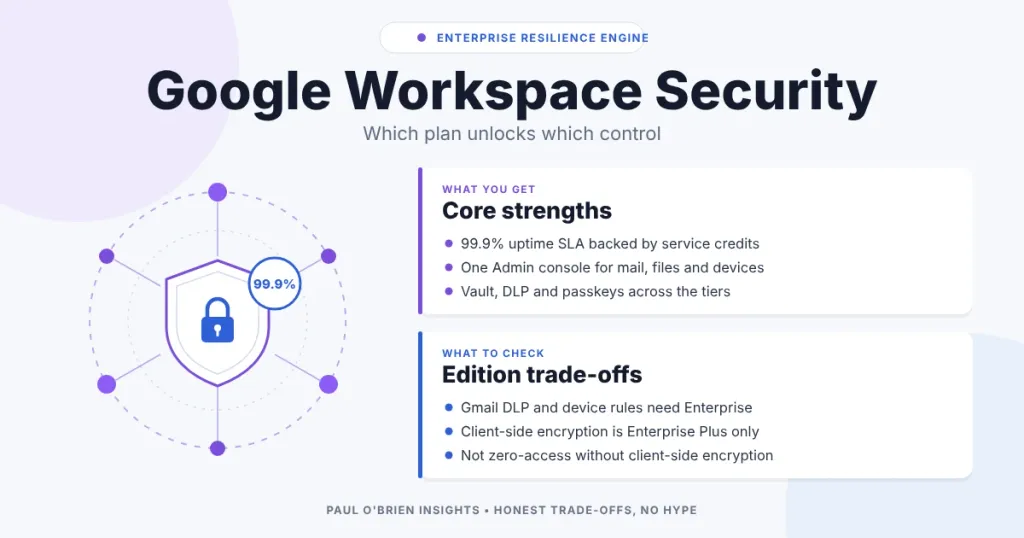
Google Workspace is a serious security and continuity platform, but the label “enterprise resilience” only fits if you buy the right edition. Most of the tools that earn the description, such as Vault, Gmail data loss prevention, Context-Aware Access and client-side encryption, sit on the higher tiers. This guide shows what Workspace does well, which plan unlocks each control, and who should pay for it.
I run my own mail on Workspace Business Plus, so this comes from both reading Google’s documentation and using the Admin console. I checked the edition tables, the SLA and pricing against Google’s own pages on 8 October 2026. If you want the mailbox side first, my Google Workspace Gmail review covers plans, Gemini and privacy, and the Workspace security myths post covers the privacy worries.
Short answer: Workspace is a strong choice if you want one admin console, a financially backed 99.9% uptime SLA, and mature identity and data controls. Check the edition first. Business Starter and Standard give you the basics. Vault starts at Business Plus. Gmail DLP, Context-Aware Access and the Security Investigation Tool are Enterprise features, and client-side encryption is Enterprise Plus.
Reader offer: 10% off your first year. Sign up for Google Workspace through my referral link to get 10% off the first year on eligible plans.
At a Glance: Who Google Workspace Is (and Isn’t) For
| User Profile | Best Fit? | Core Value Drivers / Key Trade-offs |
|---|---|---|
| Small business that wants reliable mail, files and meetings with little admin | Ideal | Business Standard or Plus covers most needs. Simple console, 99.9% SLA. You are inside Google’s ecosystem. |
| Regulated firm that needs retention, legal holds and eDiscovery | Strong fit | Vault from Business Plus. Add Enterprise for Gmail DLP and investigation tools. |
| Organisation with strict device and location rules | Strong fit | Context-Aware Access needs Enterprise Standard or Plus. Not available on Business plans. |
| Business that must keep encryption keys away from Google | Partial fit | Client-side encryption is Enterprise Plus and needs an external key service. It limits some features. |
| Microsoft-heavy company built around Outlook, Teams and Entra | Alternative needed | Moving costs more than it saves. See my Microsoft 365 vs Google Workspace comparison. |
| Individual or small team that wants an inbox kept out of an ad-funded ecosystem | Alternative needed | Consider Fastmail or HEY for a simpler, mail-first service. |
What “Resilience” Means Here
Evaluators usually start with price and the interface. For a business, the more useful questions are whether you can stay online, prove what happened and limit the damage when something goes wrong. Workspace answers those through four areas.
| Area | What Workspace provides | Where it is gated |
|---|---|---|
| Business continuity | 99.9% monthly uptime SLA with service credits, offline editing for Docs, Sheets and Slides | SLA excludes Essentials Starter |
| Data assurance | Vault retention, legal holds, search and export | Business Plus and above |
| Audit and governance | Alert centre, audit logs, Security Investigation Tool | Investigation tool on Enterprise |
| Security architecture | 2-Step Verification, passkeys and security keys, Context-Aware Access, DLP, client-side encryption | Context-Aware Access and Gmail DLP on Enterprise, client-side encryption on Enterprise Plus |
What Each Plan Includes
This is the table the original version of this post should have had. It is taken from Google’s edition comparison pages, Vault documentation and Workspace Updates announcements. Editions change, so check your own Admin console before you buy.
| Control | Business Starter | Business Standard | Business Plus | Enterprise Standard | Enterprise Plus |
|---|---|---|---|---|---|
| Vault (retention, holds, eDiscovery) | No | No | Yes | Yes | Yes |
| Data loss prevention for Drive | Yes | Yes | Yes | Yes | Yes |
| Data loss prevention for Gmail | Not listed | Not listed | Not listed | Yes | Yes |
| Gmail security sandbox | No | Yes | Yes | Yes | Yes |
| Advanced endpoint management | No | No | Yes | Yes | Yes |
| Context-Aware Access | No | No | No | Yes | Yes |
| Security Investigation Tool | No | No | No | Yes | Yes |
| Client-side encryption | No | No | No | No | Yes |
| Alert centre | Yes | Yes | Yes | Yes | Yes |
Know the limits: Vault can be added to other editions as an add-on, and Google says to confirm compatibility with its sales team. Gmail DLP is also listed for Frontline Standard and some education editions. I have only shown the Business and Enterprise plans here.
Business Continuity, SLA and Support
Google’s Workspace SLA commits to at least 99.9% monthly uptime in any calendar month. Downtime counts when the service shows a user error rate above five per cent, measured on Google’s servers. If Google misses the target, credits are added to your service term:
| Monthly uptime | Service credit |
|---|---|
| Below 99.9%, down to 99.0% | 3 days |
| Below 99.0%, down to 95.0% | 7 days |
| Below 95.0% | 15 days |
You must open a support case within 30 days of becoming eligible, and credits are capped at 15 days a month. The SLA covers Gmail, Calendar, Chat, Docs, Drive, Meet, Sheets, Slides, Vault and other core services. It does not apply to Essentials Starter. It is a service credit, not compensation for lost business, so treat it as a commitment to uptime, not as insurance.
The old version of this post said Workspace has zero planned maintenance downtime. Google’s SLA page says nothing about maintenance either way, so I have removed the claim. For offline work, Docs, Sheets and Slides can be edited without a connection and sync when you reconnect, provided you enable offline access in advance.
On support, I opened an urgent Admin console ticket twice and reached an engineer who joined a screen-share within five minutes both times. That is two experiences on one account, not a promise. Business plans include standard support, and Google lists enhanced support for the Enterprise editions.
Admin Console and Security Baselines
Workspace manages mail, files, identity, devices and security from one Admin console. That is a real advantage for small teams, because you are not stitching together several portals to answer one question. Google lists 2-Step Verification, group policies and the Advanced Protection Programme on all plans, so the baseline is the same whatever you pay:
- Turn on 2-Step Verification for everyone and prefer security keys or passkeys over SMS codes. Phishing-resistant methods are the single biggest improvement for most organisations.
- Limit super-admin accounts to the smallest number you can run safely, and keep them separate from day-to-day mailboxes.
- Watch the alert centre. It is available on every plan and surfaces suspicious sign-ins and policy changes.
- Use organisational units so that finance, HR and general staff can have different rules.
For mail routing, Workspace supports custom routing rules, split delivery and spam controls in the console. Set up SPF, DKIM and DMARC before anything else, which my guide to SPF, DKIM and DMARC walks through.
Data Loss Prevention: What You Actually Get
DLP lets you scan content for sensitive data and warn, block or quarantine it. It works in Drive on every Business plan, according to Google’s comparison table. Gmail DLP became generally available in February 2025 and is listed for Enterprise Standard and Enterprise Plus, so a Business plan will not give you outbound Gmail rules.
If you are on an Enterprise edition, a sensible rollout looks like this:
- Scope rules by organisational unit. Start with finance and HR, where mistakes cost most.
- Use the built-in detectors first for card numbers and national identifiers, then add custom patterns for your own data, such as internal project codes. Test them in audit mode so you can see false positives.
- Choose the action. Warn users while you tune, then block or quarantine the high-risk cases.
- Review events in the alert centre or the Security Investigation Tool so you can see what the rules are catching.
An illustrative scenario
This one is hypothetical. A billing specialist tries to email a spreadsheet of patient records to an unverified outside address. A Gmail DLP rule matches the health data patterns, blocks the message, tells the sender why and raises an event for the security team. Nothing leaves, and there is a record. It only works if the organisation is on an edition with Gmail DLP and has built and tested the rule beforehand.
Vault, Audit and eDiscovery
Vault is where Workspace turns from a mail service into a governance tool. It lets you set retention rules, place legal holds that override deletion and search and export data. According to Google’s documentation it covers Gmail, Drive, Calendar, Chat (when conversation history is on), Meet recordings, Groups, Sites and Gemini app messages, with Voice available on Voice subscriptions.
- Holds can be applied to accounts, organisational units or groups.
- Retention rules let you, for example, delete short-term chats sooner while keeping finance files for the period your regulator requires.
- Exports stay available in Vault for 15 days before they are deleted, so download what you need promptly.
Vault is included from Business Plus. On Business Starter and Standard it needs an add-on. For audit logging at scale, Workspace can stream logs to other systems, but check that your edition supports the destination you want.
Context-Aware Access and Zero Trust
Context-Aware Access lets you decide who can reach which apps based on context, not only a password. Access levels can use IP ranges, device policy and operating system, and geographic origin. For example, you can allow Drive access from managed laptops and restrict it from unmanaged devices or from countries where you have no staff. It is listed for Enterprise Standard and Plus, plus Frontline, education and Cloud Identity Premium editions, but not for Business plans.
For the strongest sign-in protection, pair it with FIDO2 security keys or passkeys, which resist phishing proxies that capture one-time codes. Remember that Context-Aware Access is only as good as the device information behind it, so you also need endpoint management in place.
Client-side encryption
Client-side encryption changes who holds the keys. With it, content is encrypted in the browser using keys you control through an external key service, so Google cannot decrypt it. It is listed for Enterprise Plus, Frontline Plus and education plans. Expect trade-offs: features that need Google to read the content, such as some search and AI functions, do not work on protected files. Use it for the small set of material that justifies the overhead, not as a blanket setting.
Privacy, Gemini and Compliance
Google says it does not use Workspace content for advertising, and that it does not use your Workspace data to train or improve its underlying generative AI models without your permission. Those commitments are on Google’s own pages, and I have not audited them. My security myths post goes through the most common worries in more detail.
On Gemini, Business Starter includes Gemini in Gmail with basic app access. Standard, Plus and Enterprise include Gemini across Docs, Sheets, Slides, Drive, Meet and Chat. Google’s cloud compliance page lists ISO/IEC 27001, 27017 and 27018 and SOC 2 and 3 reports among its certifications, which matter if a client sends you a security questionnaire. See Google’s compliance resource centre and Workspace security page for the current lists.
One caveat on trust: Workspace is not a zero-access service. Without client-side encryption, Google can technically process your content. If that is a deal-breaker, read who zero-access email is actually for before you choose.
Google Workspace Plans and Pricing in 2026
| Plan | Price per user (flexible billing) | Storage | Meet participants | Extras |
|---|---|---|---|---|
| Business Starter | £5.90 a month | 30 GB pooled | 100 | Gemini in Gmail, 2-Step Verification, alert centre, 99.9% SLA |
| Business Standard | £11.80 a month | 2 TB pooled | 150 | Gemini across the apps, Gmail sandbox, recordings |
| Business Plus | £18.40 a month | 5 TB pooled | 500 | Vault, advanced endpoint management |
| Enterprise | Contact sales | 5 TB pooled, more on request | 1,000 | DLP for Gmail, Context-Aware Access, Security Investigation Tool, enhanced support, client-side encryption on Plus |
Prices are from Google’s UK pricing page, as read on 7 October 2026, and Google lists annual commitments as saving 16%. VAT is added on top. Business plans are limited to 300 users, and Enterprise has no user cap. Prices and plan details change, so check Google’s pricing page before you buy.
Which Plan for Which Risk
| If your main concern is… | Start with | Why |
|---|---|---|
| Reliable mail and files for a small team | Business Standard | Gemini across the apps, Gmail sandbox, 2 TB storage |
| Retention, legal holds and eDiscovery | Business Plus | Cheapest edition with Vault included |
| Stopping sensitive data leaving by email | Enterprise Standard | Gmail DLP, Context-Aware Access and investigation tools |
| Keeping keys away from Google | Enterprise Plus | Client-side encryption with an external key service |
| Simple, private, mail-first | Not Workspace | See Fastmail or HEY |
Pros and Cons
| Strengths | Weaknesses |
|---|---|
| One Admin console for mail, files, identity and devices | The strongest security controls sit on Enterprise editions |
| Financially backed 99.9% uptime SLA | SLA is service credits only, and excludes Essentials Starter |
| Vault from Business Plus for retention and holds | Not zero-access unless you buy client-side encryption |
| Phishing-resistant sign-in with passkeys and security keys on every plan | Enterprise pricing is not public |
| Mature compliance certifications and audit reports | You operate inside Google’s wider ecosystem |
Frequently Asked Questions
Does Google Workspace have data loss prevention on every plan?
No. Google lists DLP for Drive on the Business plans, but DLP for Gmail is listed for Enterprise Standard and Enterprise Plus. Check the edition comparison in your Admin console before you rely on it.
Which Google Workspace plan includes Vault?
Business Plus and the Enterprise editions. Business Starter and Standard can add it as a paid add-on, and Google advises confirming compatibility with its sales team.
What is Google Workspace’s uptime guarantee?
The SLA commits to at least 99.9% monthly uptime. If Google misses it, you receive credits of 3, 7 or 15 days depending on how far uptime falls. You must claim within 30 days, and the SLA does not apply to Essentials Starter.
Can Google read my Workspace email?
Google says it does not use Workspace content for ads or to train its generative AI models without permission. It is still not zero-access, so Google can process the data to provide the service. Client-side encryption on Enterprise Plus is the route if you need keys held outside Google.
Do I need Enterprise or is Business Plus enough?
Business Plus is enough if your main need is retention, legal holds and strong sign-in. You need Enterprise if you want Gmail DLP, Context-Aware Access based on device and location, or the Security Investigation Tool.
Is Google Workspace better than Microsoft 365 for security?
Neither is better in every case. Workspace is simpler to administer from one console, while Microsoft 365 suits organisations already built around Outlook, Teams and Entra. My Microsoft 365 vs Google Workspace post and my Outlook and Exchange review cover the other side.
The Bottom Line
Google Workspace earns its place when you want a stable, well-supported platform with one console and good identity controls. Pay for the edition that matches your risk: Business Plus if retention and legal holds matter, Enterprise if you need Gmail DLP and device-aware access, and Enterprise Plus only if you genuinely need to hold the keys yourself. If you want to try it, you can get 10% off the first year through my referral link.
Reader offer: 10% off your first year. Use my referral link to start Google Workspace with 10% off the first year on eligible plans.
Disclosure: This article contains an affiliate link for Google Workspace. If you sign up through it, you get the discount and I may earn a small referral commission at no extra cost to you. I use Workspace myself.

