
Zero-Access Encryption: What It Really Means (2026 Guide)
Zero-access encryption stops your provider reading stored mail, but not metadata or inbound mail before it arrives. Here is what it covers, how it differs from end-to-end, and the trade-offs.

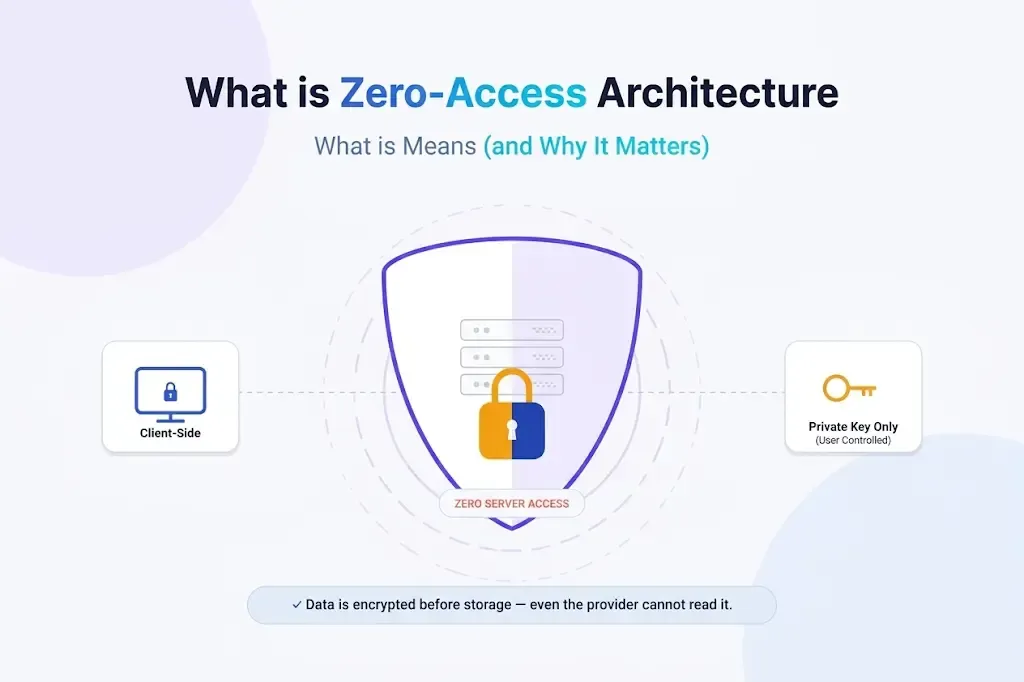
Zero-access encryption means your email provider stores your messages in a form it cannot read, because the keys that unlock them stay with you. It is a real and useful protection against a provider breach, a rogue employee or a broad data request. It is also narrower than the marketing suggests. Mail from other providers can arrive readable before it is locked away, and your provider still sees who you write to and when.
This guide explains what zero-access encryption does, what it leaves exposed, how it differs from end-to-end encryption, and what you give up to get it. I checked the provider details below against Proton, Tuta and other primary sources on 8 October 2026. For the wider vocabulary, start with what “secure email” actually means.
Short answer: zero-access protects stored mail from the provider. It does not hide metadata, it does not protect a message before it arrives, and it does not stop phishing. It works best alongside end-to-end encryption, and it costs you convenience in search, recovery and support.
At a Glance: Who Zero-Access Is (and Isn’t) For
| User Profile | Best Fit? | Core Value Drivers / Key Trade-offs |
|---|---|---|
| Privacy-minded individual who wants a provider unable to read stored mail | Ideal | Strong protection against breaches and bulk requests. You manage recovery and accept slower search. |
| Journalist, researcher or other higher-risk user | Strong fit | Content stays unreadable to the provider. Metadata and IP logging still need separate thought. |
| Small business handling client confidences | Strong fit | Lower exposure if the provider is compromised. Support cannot inspect messages for you. |
| Someone who relies on powerful server-side search and automation | Partial fit | Search runs on your device, and server-side categorisation is not available. |
| Someone who forgets passwords and has no backup plan | Workable | Possible, but only if you set up recovery options in advance. |
| Someone who wants anonymity from the provider | Alternative needed | Zero-access does not hide metadata or IP addresses. Consider Tor or an anonymity-first approach. |
What Zero-Access Encryption Means
The idea is simple. Your messages are encrypted with a public key and can only be unlocked with a private key that you control. The provider holds the encrypted data but not the means to decrypt it, so its servers, staff and any attacker who breaches them see ciphertext, not your mail. Proton describes it as encryption that “prevents the service provider and any third parties from accessing its contents”.
That is different from the transport encryption (TLS) that protects mail between servers. TLS protects a message in transit. Zero-access protects it once it is stored. Authentication standards such as SPF solve a different problem again: they help prove who sent a message, not who can read it.
| Term | What it protects | Who can read the message |
|---|---|---|
| Transport encryption (TLS) | Mail moving between servers | Each provider that handles it, and usually the stored copy too |
| Zero-access encryption | Mail stored with your provider | You, plus the provider only for the moment before it encrypts incoming mail |
| End-to-end encryption | The message from sender to recipient | Only the sender and recipient |
| “Zero-knowledge” | A marketing term, used loosely | Varies, so check what the provider actually claims |
I prefer “zero-access” to “zero-knowledge” because providers still know a lot, as the next section shows.
How the Keys Work
Each account has a pair of keys. The public key can be shared and is used to encrypt incoming mail. The private key stays secret and decrypts it. The provider has to store your private key somewhere, so it stores it encrypted.
Proton’s support documentation says the key is created in your browser and uploaded in encrypted form, protected with your password. It hashes the password with bcrypt and a random per-user salt, then uses that to encrypt the key with AES-256. Tuta similarly derives its keys from your password, using Argon2. The consequence matters: your password is part of the lock, so a weak password weakens the whole design, and a lost password with no recovery option can mean lost data.
What Your Provider Can Still See
Zero-access is about content. Providers still process the details needed to deliver mail and run the service.
| Data | Visible to the provider? | Notes |
|---|---|---|
| Message body and attachments | No, once stored | End-to-end encrypted between Proton users. Mail from elsewhere is encrypted on arrival |
| Subject lines | Depends | Proton encrypts subjects but not end-to-end, because they sit in the OpenPGP header. Tuta encrypts them |
| Sender and recipient addresses | Yes in practice | Delivery needs them. Proton also says they are encrypted but not end-to-end |
| Timestamps, size and routing | Yes | Needed to deliver and store the message |
| IP addresses and login activity | Possibly | Depends on the provider’s logging and the legal order it receives |
The inbound mail catch
This is the point many explanations skip. When someone on Gmail emails you at Proton, the message travels over TLS and arrives readable at Proton’s servers, where it is then stored with zero-access encryption. Proton says this itself: the service may briefly handle the data before it is encrypted. The sender’s own provider may also keep a copy unless it uses end-to-end encryption. Zero-access protects what happens after arrival. To protect the message in transit and at the sender’s end, you need end-to-end encryption, such as a password-protected email, PGP, or both parties on the same service.
Know the limits: zero-access does not mean the provider knows nothing about you. It means the provider cannot read what you wrote. Who you wrote to, when, and often from where can still be visible.
Zero-Access vs. End-to-End Encryption
They overlap, but they are not the same. Zero-access protects stored data from the provider. End-to-end encryption encrypts the message on the sender’s device so that only the recipient can read it, which means the provider never sees plaintext at any point. Proton itself says end-to-end encryption gives stronger guarantees, because the provider never handles the readable message. In practice, a service like Proton or Tuta gives you both: end-to-end encryption between its own users, and zero-access storage for everything else.
The Trade-Offs Zero-Access Introduces
Search happens on your device
If the provider cannot read your mail, it cannot search it for you. Proton’s web app builds an encrypted index in your browser, and Proton says the index never leaves the browser. In its support documentation, Proton notes that you need a separate index for each browser on each device, that a very large mailbox may only be partly indexed, and that clearing browser data deletes the index so you must rebuild it. Tuta also searches locally. Expect a slower start on a new device.
Recovery is strict
Because the key is protected by your password, resetting a lost password cannot simply restore your old mail. Proton offers recovery options, including a recovery phrase, a recovery file and device data backup, but you must set one up before you need it. Its documentation warns that without sufficient recovery options you risk permanently losing access to your data. Set up recovery on day one.
Support works differently
Support staff cannot open your mailbox to find a missing message or investigate a complaint. That protects you, and it also slows some fixes.
Less server-side automation
Features that depend on reading your mail on the server, such as automatic categorisation or behavioural analysis, are unavailable or run on your device instead. For a view of what you trade the other way, see free vs paid email and why provider breaches are a when, not an if.
Why It Mostly Appears in Paid Services
Running email at scale is expensive. Free services often recover the cost through advertising, data analysis or a wider ecosystem. Zero-access removes those options, because the provider cannot read the content it would monetise. That is why you mostly find it on subscription services, though some, like Proton and Tuta, also offer limited free plans.
What Zero-Access Means Under Legal Pressure
Providers still have to obey valid court orders. Zero-access changes what they can hand over, not whether they have to respond. Two real cases show where the line sits.
- Proton, 2021. Proton received a binding Swiss order relating to a climate activist and was compelled to log the account’s IP address. Proton’s CEO said the encryption could not be bypassed and no messages could be handed over, but that encryption does not provide anonymity. Proton pointed users with higher needs to its Tor onion site.
- Tuta, 2020. A court in Cologne ordered Tutanota to build a monitoring function for one mailbox linked to a blackmail investigation. Tutanota said it can only release unencrypted incoming and outgoing mail for that mailbox and cannot decrypt end-to-end encrypted messages, and it said it would appeal. Tuta’s transparency report says it releases individual mailboxes only on a valid German court order and cannot decrypt the encrypted data in them.
The practical lesson is that content stays protected while metadata and live monitoring of a targeted account remain possible. The jurisdiction matters too, and my Swiss vs German email privacy comparison sets out the differences. For another angle on Proton’s limits, read what Proton Mail protects and what it doesn’t.
Providers: Who Offers What
| Feature | Proton Mail | Tuta Mail | Gmail / Google Workspace |
|---|---|---|---|
| Zero-access storage | Yes | Yes | No (client-side encryption is an Enterprise Plus option) |
| Subject lines encrypted | Yes, but not end-to-end | Yes | No |
| Standard protocols (IMAP/SMTP) | Yes, via Bridge on paid plans | No | Yes |
| Search | On your device in the web app | On your device | Server-side |
| Jurisdiction | Switzerland | Germany | United States |
| Full Review | Proton Mail review | Tuta Mail review | Google Workspace security review |
A cautionary tale: Skiff
Skiff offered end-to-end encrypted email, calendar, storage and documents. Notion acquired it on 9 February 2024 and disabled new sign-ups, and the service mostly shut down on 9 August 2024, with forwarding for Skiff addresses continuing until February 2025. Zero-access protects your data from a provider. It does not protect you from the provider disappearing, so keep a way to export your mail and avoid tying everything to one service.
Why Architecture Matters More Than Promises
A privacy policy is a promise, and promises can change with ownership, pressure or business model. An architecture that cannot read your mail is harder to reverse without rebuilding the service. That is the real value of zero-access: it limits what the provider could do wrong, not just what it says it will do. It is not a substitute for good habits. Phishing, weak passwords and reused credentials still defeat it.
Pros and Cons
| Strengths | Weaknesses |
|---|---|
| The provider cannot read stored mail, so breaches and bulk requests expose less | Metadata, and sometimes IP addresses, remain visible |
| Removes the ad-funded incentive to read your content | Inbound mail from other providers arrives readable before it is encrypted |
| Combines well with end-to-end encryption between users | Search runs on your device and can be slow on new devices |
| Architecture limits the provider, not just its policy | Lost password plus no recovery option can mean lost data |
| Useful against insider threats and server compromise | Does not stop phishing, malware or weak passwords |
Frequently Asked Questions
What does zero-access encryption actually mean?
It means the provider stores your data encrypted and does not hold the keys needed to read it. The provider can still see some data about your account and your mail, such as addresses and timestamps.
Is zero-access the same as end-to-end encryption?
No. Zero-access protects data once it is stored with the provider. End-to-end encryption protects a message from the sender’s device to the recipient’s. Proton says end-to-end is the stronger of the two, because the provider never handles the readable message.
Can a zero-access provider reset my password?
It can reset access to the account, but it cannot restore your old encrypted mail without a recovery method, because your password protects your key. Proton offers a recovery phrase, a recovery file and device data backup. Set one up before you need it.
Does zero-access mean the provider knows nothing about me?
No. Metadata such as sender and recipient addresses, timestamps and message size remains visible, and a provider may log IP addresses if it is legally compelled to.
Does zero-access stop phishing or spam?
No. It protects stored data, not what arrives. You still need strong passwords, two-factor authentication and caution with links.
How does search work with zero-access?
On your device. Proton’s web app builds an encrypted local index in your browser. A large mailbox may only be partly indexed, and clearing browser data removes the index, so expect to rebuild it.
Can law enforcement force a zero-access provider to hand over my emails?
They can force it to produce what it holds. For stored mail that is encrypted data it cannot decrypt, plus account and metadata records. A targeted order can also lead to logging of an account’s IP address or, as in the Tuta case, release of unencrypted incoming and outgoing mail for one mailbox.
Is Gmail zero-access?
No. Google can process the content of standard Gmail and Workspace mail to provide its services. Workspace Enterprise Plus offers client-side encryption for organisations that want to hold their own keys, which I cover in my Google Workspace security review.
The Bottom Line
Zero-access encryption is one of the most useful privacy features in email, as long as you understand what it covers. It protects stored mail from the provider, it limits the damage of a breach, and it works best when paired with end-to-end encryption. It does not hide metadata, protect inbound mail before arrival or replace sensible account security. If you want to go further, my guide to who zero-access email is actually for helps you decide whether the trade-offs suit you, and for organisations, the zero-access command hub shows how to use it as an out-of-band fallback.
Sources: Proton on zero-access encryption, how Proton Mail messages are encrypted, how Proton stores the private key, Proton content search, Proton data recovery, Proton on the 2021 Swiss order, Tuta transparency report, CyberScoop on the 2020 Cologne order, Skiff.
Note: This article contains no affiliate links. Provider details were checked on 8 October 2026, and services change, so confirm current features on each provider’s own pages.

