
Gmail vs Proton Mail (2026): Which Should You Use?
Gmail is faster and better connected. Proton Mail cannot read the mail it stores. Here is how they compare, what I gave up, and who should stay.

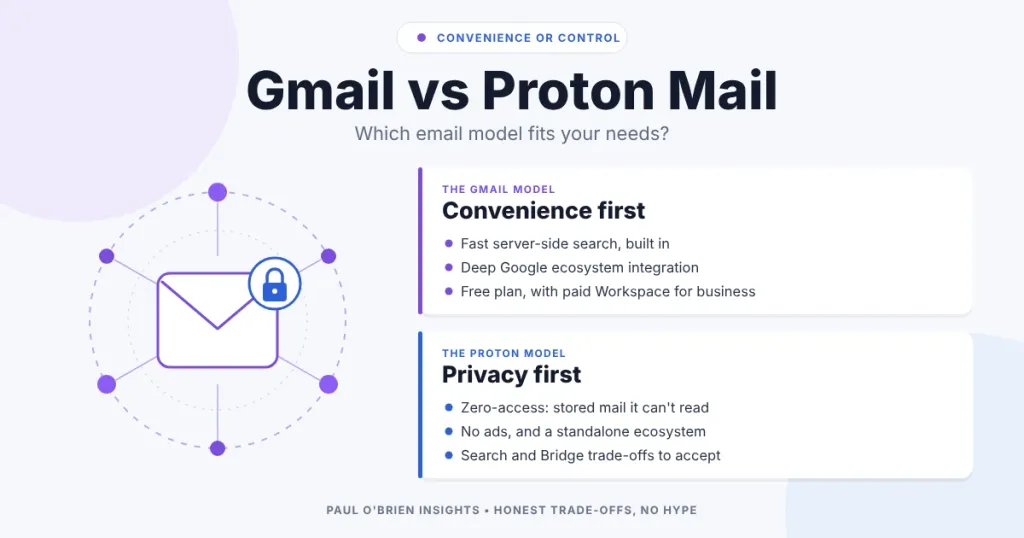
Gmail is faster, more convenient and better connected. Proton Mail is more private, because it cannot read the mail it stores for you. Which one is better depends on whether you value convenience or control, and on how much of your life already runs through Google. I moved my personal email from Gmail to Proton Mail, and this is the comparison I wish I had read first.
I used Gmail for years. It became the default place for personal mail, work, accounts, newsletters and receipts, and that was the problem. This guide covers why I moved, what Proton does differently, what you give up, and who should stay put. Plans and features were checked against Google and Proton’s own pages on 8 October 2026. If you want the full picture of either service, my Proton Mail review and Google Workspace Gmail review go deeper.
Short answer: choose Proton Mail if you want a provider that cannot read your stored mail and has no advertising business model. Stay with Gmail if you value speed, search and the Google ecosystem, and you are comfortable with how Google handles your data. Neither is wrong, but they are built for different priorities.
At a Glance: Who Should Choose Which
| User Profile | Best Fit? | Core Value Drivers / Key Trade-offs |
|---|---|---|
| Privacy-minded person uneasy about one company holding their whole digital life | Proton Mail: Ideal | Zero-access encryption and no ad model. Search and integrations are more limited. |
| Heavy user of Docs, Drive, Meet, Android and Google sign-in | Gmail: Ideal | Deep integration and fast server-side search. Your data sits inside Google’s ecosystem. |
| Someone who wants their own domain and mail they can take anywhere | Either, with a custom domain | Both support custom domains on paid plans. Read my guide to using your own email domain. |
| Happy Gmail user with no particular concerns | Gmail: Strong fit | No urgent reason to move. Switching costs time. |
| Business that needs shared documents, calendars and admin controls | Gmail via Workspace: Strong fit | Paid Workspace is a different product from free Gmail. See below. |
| Someone who needs standard IMAP in every app with no extra software | Alternative needed | Proton uses Bridge on paid plans. A provider like Fastmail is simpler. |
Why I Left Gmail
Gmail is convenient, and that is the problem
Gmail is fast, dependable and tied neatly into Google’s other products. That is its appeal, and it is also the issue. As Gmail grew into Google Workspace and a wider Google account, it became a hub linked to search, calendar, cloud storage and a sign-in used across the web. If you want the backstory, see how Gmail went from an invitation-only experiment to the world’s default inbox.
Email is more personal than we admit
Your inbox holds password resets, personal conversations, receipts and years of financial and administrative history. It is a private archive. I was uneasy about that archive living inside an advertising-funded company.
Privacy is about control, not hiding
For me, privacy has never been about having something to hide. It is about control over who can access your data and how it is processed. When a service is free, your attention and the data around it are part of the business model. When you pay, you are the customer.
A fair correction: Google says it does not scan or read your Gmail messages to show you ads. It says ads are based on your online activity while you are signed in to Google. The difference is real, but the point stands: your mail is stored in a form Google can access, in an account tied to an advertising business.
What Proton Mail Does Differently
Proton Mail is built so that the provider cannot read what it stores for you. Proton says all messages and attachments in your inbox use zero-access encryption. Within that, message bodies and attachments are end-to-end encrypted, while subject lines and sender and recipient addresses are encrypted but not end-to-end. You hold the keys, protected by your password, and there is no advertising model. My explainer on zero-access encryption covers what that does and does not protect, and what “secure email” actually means covers end-to-end encryption.
The day-to-day difference surprised me most. With no ads, no engagement prompts and no cross-service nudges, the inbox felt calmer. If you want to know why tracking inside email matters, read my piece on email tracking beacons.
Gmail vs. Proton Mail Compared
| Feature | Gmail | Proton Mail |
|---|---|---|
| Primary focus | Convenience and integration | Privacy and security by default |
| Business model | Free service funded by Google’s advertising business | Paid subscriptions, with a limited free plan |
| Encryption of stored mail | Encrypted in transit and at rest, with Google holding the keys | Zero-access, with end-to-end for bodies and attachments between Proton users |
| Can the provider read stored mail? | Technically yes | No, by design, apart from mail that arrives unencrypted and is encrypted on arrival |
| Ads and your mail | Google says it does not scan Gmail messages to show ads | No advertising |
| Search | Fast, server-side | On your device in the web app, with an index you build per browser |
| Custom domain | Via paid Google Workspace | Paid plans, one domain on Mail Plus |
| IMAP and SMTP | Yes | Via Proton Bridge on paid plans |
| Free plan | Yes, with storage shared across Google services | Yes, 1 GB, with limits |
| Entry paid price | Workspace Business Starter from £5.90 per user a month | Mail Plus from £3.19 a month billed annually |
| Ecosystem | Tied to Google Docs, Drive, Meet and Android | Standalone, with Proton Calendar, Drive and Pass |
| Best for | Speed and ecosystem depth | Data ownership and privacy |
Plans and prices change. Proton’s Mail Plus gives 15 GB, 10 addresses and one custom domain, and Proton Unlimited bundles more storage and its other services. Google’s paid prices are for Workspace, not free Gmail, and are as listed on its UK pricing page on 7 October 2026, plus VAT.
The Trade-Offs
Proton is not a drop-in replacement. These are the compromises I noticed.
- Search. Gmail can search instantly because Google indexes your plaintext. Proton cannot read your mail, so its web app builds an encrypted index in your browser. Proton says you need a separate index for each browser and device, and a very large mailbox may only be partly indexed.
- Integrations and calendar workflows. Third-party apps and shared calendars take more setup than they do in Google’s world.
- Standard protocols. IMAP and SMTP work through Proton Bridge, a small app that runs on your computer, and only on paid plans.
- Recovery. Your password protects your keys, so you need to set up Proton’s recovery options before you need them.
- Mail from other providers. Proton says messages from non-Proton senders arrive over TLS and are then stored with zero-access encryption. They are not end-to-end encrypted unless the sender uses a method such as a password-protected email or PGP.
For the things I do most, sending, receiving, organising and using a custom domain, Proton worked well.
Is Proton Mail Safer Than Gmail?
It depends what you mean by safe. Both services are well run and both support strong account security, including two-factor authentication and security keys. Where they differ is who can read your stored mail. Proton is designed so it cannot, and Google can, within its privacy commitments. Neither stops phishing, weak passwords or reused credentials, which cause most real-world account takeovers. If breach exposure is your concern, read my guide to what to do if your email appears in a breach.
Free Gmail vs. Paid Google Workspace
The ad-funded model applies to free Gmail. Paid Google Workspace is a business product with different terms. Google says Workspace content is not used for ads, and it does not use your Workspace data to train its underlying generative AI models without permission. I looked at this after my Proton trial, because I had dismissed Workspace on hearsay. My Google Workspace Gmail review covers plans and privacy, and the Workspace security and resilience review shows which plan includes which control. Workspace is still not zero-access.
Where I Ended Up
My setup has moved on since I first wrote this. I later moved my primary inbox from Proton to Fastmail, which I explain in why I switched from Proton Mail to Fastmail, and I keep a Proton address for sensitive sign-ups. I also run my business domain on Google Workspace for Docs, Drive and Meet, which is the story in my Fastmail review. I still use some Google tools. The lesson is that no provider fits every part of your life, and moving is cheaper if you use your own domain, so your address does not change when your provider does. If you are comparing the other options, see Proton Mail vs Fastmail.
Pros and Cons
| Strengths | Weaknesses |
|---|---|
| Proton: stored mail the provider cannot read, and no ad business model | Proton: slower, device-based search and fewer integrations |
| Proton: a calm, ad-free inbox with a standalone ecosystem | Proton: IMAP needs Bridge on paid plans, and recovery needs planning |
| Gmail: fast search, huge integration and a polished experience | Gmail: mail is stored in a form Google can access, inside an ad-funded ecosystem |
| Gmail: a free plan, and paid Workspace for business | Gmail: your whole digital life sits behind one account |
Frequently Asked Questions
Is Proton Mail better than Gmail?
It is better for privacy, because Proton is built so it cannot read your stored mail. Gmail is better for speed, search and integration with Google’s tools. Which is better for you depends on which of those you value more.
Does Google read my Gmail?
Google says it does not scan or read your Gmail messages to show you ads, and that ads are based on your activity while you are signed in. Your mail is still stored in a form Google can access to provide the service, which is the difference from a zero-access provider.
Is Proton Mail free?
There is a free plan with 1 GB of storage and limits. Paid plans add storage, more addresses, a custom domain and IMAP and SMTP access through Bridge.
Can I use my own domain with Proton Mail?
Yes, on paid plans. Mail Plus includes one custom domain. A custom domain also makes it easy to change provider later without changing your address.
Will I lose features if I leave Gmail?
You will lose fast server-side search and the tight link to Google Docs, Drive and Meet. Proton has its own calendar, drive and password manager, but they are not the same as Google’s.
Is Proton Mail end-to-end encrypted?
Between Proton users, message bodies and attachments are end-to-end encrypted. Mail with other providers is encrypted in transit with TLS and then stored with zero-access encryption, unless you use a password-protected message or PGP.
Do I have to leave Gmail completely?
No. I still use some Google tools. You can move one part of your life, such as personal mail, and keep Gmail for the rest. Moving a primary address is easier if you use your own domain.
Final Thoughts
If you are happy with Gmail and have no particular concerns, there is no urgent reason to switch. If you are uneasy about what your inbox reveals and who can access it, a privacy-first service like Proton is worth a serious look. The switch was a deliberate choice for one personal part of my life, and the trade-offs are real. Pick the service that matches your priorities, not the one with the loudest marketing.
Sources: Google on Gmail ads, how Proton Mail messages are encrypted, Proton content search, Proton Mail pricing, Google Workspace pricing.
Note: This article contains no affiliate links. Plans, prices and features were checked on 8 October 2026 and may change.

