
Have I Been Pwned: What "Pwned" Means and What to Do
Email pwned? What it means in Have I Been Pwned, whether HIBP is safe, and the steps to take after a breach: passwords, 2FA and aliases.

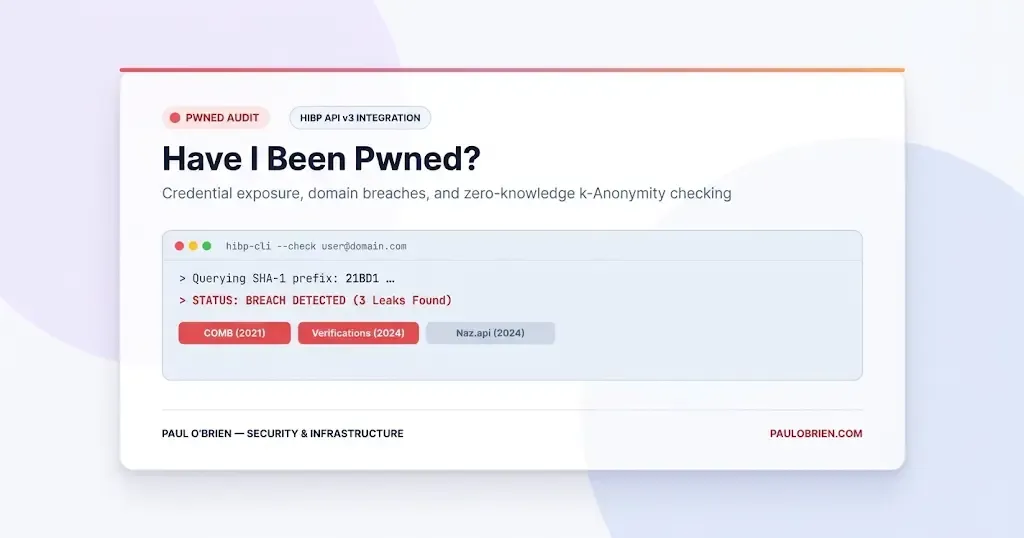
If Have I Been Pwned says your email address is “pwned”, it means the address turned up in data that leaked from a hacked or exposed service. It does not mean someone is inside your accounts today. What matters is what leaked alongside the address, whether you reused the password, and how quickly you act on the accounts that count.
My own long-used address appears in several old breaches tied to services I had forgotten signing up for. That is normal, and it is why the useful question is not “have I been breached?” but “what do I do next?”. This guide explains what “pwned” means, how Have I Been Pwned (HIBP) works, how safe it is to use, and a short plan for what to do. I checked the figures and wording against HIBP’s own pages on 8 October 2026.
Short answer: being listed is a warning, not a verdict. Change any password you reused, turn on two-factor authentication for your email first, expect more phishing, and use a unique address or alias for new sign-ups. You cannot remove an address from a past breach, so the aim is to limit what it can be used for.
At a Glance: What Your Result Means
| Your Situation | Urgency | What To Do First |
|---|---|---|
| Listed, but only an email address leaked | Low to medium | Expect more spam and phishing. Tighten the security of the mailbox itself. |
| Listed, and a password was exposed that you still use anywhere | High | Change it everywhere it was reused, starting with email, banking and cloud storage. |
| Listed in an old breach from a service you abandoned | Low | Close the account if you can, and confirm the password was not reused. |
| Not listed | Not a clean bill of health | HIBP only knows about breaches it has loaded. Keep good habits anyway. |
| Listed in a “sensitive” breach | Depends on the data | Sign in to HIBP to see which breaches are hidden from public search. |
What “Pwned” Means
“Pwned” is internet slang for “owned”, meaning compromised or controlled by someone else. HIBP uses it to mean your address was exposed in a data breach. The site was created by security researcher Troy Hunt, and it describes itself as a free resource for checking whether an online account has been compromised.
On 8 October 2026 HIBP’s homepage listed 1,042 pwned websites and 17,845,048,963 pwned addresses. Those are counts of addresses across breaches, not of people, so many individuals appear several times.
What Have I Been Pwned Actually Does
HIBP does not hack companies or read your inbox. It collects data that has already leaked and lets you check whether you are in it.
| Tool | What it does | Good for |
|---|---|---|
| Email search | Shows which loaded breaches contain your address | A one-off check |
| Notify Me | Emails you when your address appears in a new breach. You confirm ownership with a verification link | Ongoing monitoring |
| Pwned Passwords | Checks whether a password appears in breach data, without sending the whole password | Testing a password before you use it |
| Domain search | Shows breached addresses on a domain, after you prove you control it. Larger domains normally need a subscription | Business owners and IT admins |
| Stealer logs | Records which sites credentials captured by malware were used on. HIBP stores only the domain names | Spotting infostealer exposure |
How Pwned Passwords checks without seeing your password
Pwned Passwords uses k-anonymity. Your password is hashed on your device and only the first five characters of the SHA-1 hash are sent. The service returns the matching hash endings and your browser compares them locally, so HIBP never receives the full password or its complete hash. HIBP also points out that a clean result does not make a password strong. It only means the password is not in the breach data it holds.
Is It Safe to Use?
HIBP says searches are sent over an encrypted connection and are not explicitly logged. It collects Google Analytics data, application performance monitoring and diagnostic information from errors. Breached addresses are stored without passwords. An email address on its own is not enough to log in to an account, which is the point HIBP makes. Its FAQ is also candid that you cannot verify the site is not harvesting addresses, and it says that if that worries you, you should not use it. Troy Hunt has run the service for years and it is widely trusted, but that trust is a judgement, not a guarantee.
One practical tip: only use the real site at haveibeenpwned.com, and treat any email claiming you were “found in a breach” with suspicion. Fake breach alerts are a common phishing trick.
Why Your Email Address Is the Real Issue
Your email address is the login, the recovery channel and the contact point for most of your accounts. Once it is in a breach list, it is confirmed as active and linked to named services. That makes it useful to criminals for three things:
- Phishing: targeted messages that mention a service you really used.
- Credential stuffing: trying leaked passwords against other sites.
- Account recovery abuse: attempts to reset passwords through your mailbox.
The longer you have used an address, the more breaches it tends to accumulate. For that reason I recommend a separate address or alias for new sign-ups, which I cover below.
What It Means If You Show Up in a Breach
The risk depends on what leaked alongside your address.
| Data Exposed | Risk Level | Why | What To Do |
|---|---|---|---|
| Email only | Low to medium | More phishing and spam | Be wary of unexpected messages |
| Email and hashed password | Medium to high | Weak hashes can be cracked, and reused passwords are then exposed | Change the password and any copies |
| Email and plaintext password | High | Anyone can try it on your other accounts immediately | Change it everywhere it was used, today |
| Email plus personal details (name, phone, address) | Medium to high | Makes social engineering and identity fraud easier | Watch for convincing scams and protect recovery options |
| Stealer log entry | High | Malware on a device captured credentials | Scan and clean the device, then change passwords from a clean one |
Password reuse is the habit that turns a minor leak into a serious one. One breached site can unlock every account that shares the same password.
What HIBP Can’t Tell You
- Whether anyone actually used the leaked data against you.
- Whether the data was widely traded or only briefly exposed.
- Breaches that have not been disclosed, found or loaded.
- Whether your address is being used in targeted phishing right now.
It is a warning system, not a security audit. A clean result means you are not in the breaches HIBP knows about, nothing more.
What To Do If You Appear in a Breach
1. Change passwords, in the right order
Start with your email account, then banking, cloud storage and any account that shares the leaked password. Use a unique password for each. This is the job of a password manager, which I explain in what password managers do and why aliases matter. If a password you use appears in Pwned Passwords, stop using it.
2. Turn on two-factor authentication
Prioritise your email, banking, main social accounts and cloud storage. Where it is offered, prefer a passkey or security key over SMS codes, because they resist phishing.
3. Treat your email as a high-value asset
If your mailbox is compromised, every account that resets through it is at risk. Give it a strong unique password, two-factor authentication and up-to-date recovery options. My piece on why provider breaches are a when, not an if explains why this matters even with a good provider.
4. Expect more phishing
Breaches are often followed by fake “unusual sign-in” and “reset your password” messages. Do not click the link. Go to the service directly instead. The UK National Cyber Security Centre has guidance on spotting phishing.
5. Use a different address for sign-ups
Aliases limit the damage of the next breach, because the exposed address is not your main one and can be switched off. See why masked email beats disposable email and my review of DuckDuckGo Email Protection.
6. Sign up for Notify Me
HIBP’s Notify Me emails you when your address appears in a new breach. You verify the address with a link sent to your inbox, and HIBP says it will never share your email with anyone else.
Can You Remove Yourself From a Breach?
Generally, no. A breach is a historical fact, and changing your password does not remove the record. HIBP offers an opt-out that stops your address appearing in public search results. It only retires a breach entirely in very rare cases. Some breaches are marked sensitive, meaning being listed could harm someone, so they are hidden from public search. You can only see them by signing in to HIBP and confirming control of the address.
Pros and Cons of Using HIBP
| Strengths | Weaknesses |
|---|---|
| Free, widely trusted and run by a well-known researcher | Only knows about breaches it has loaded |
| Notify Me gives ongoing alerts after you verify your address | Cannot tell you whether the data was actually misused |
| Pwned Passwords checks without sending the full password | A clean password result does not mean the password is strong |
| Sensitive breaches stay hidden from public search | You cannot verify for yourself that it does not harvest addresses |
| Domain search helps organisations see their exposure | Larger domains normally need a subscription |
The Bigger Lesson: Breaches Are Structural
Breaches are not rare accidents. They are a predictable side effect of large user databases, password-based logins and email as the universal recovery method. You cannot stop every company from being hacked, so the sensible response is to make a breach less useful: unique passwords, two-factor authentication, a protected mailbox and aliases. Checking HIBP is about awareness, not alarm, and privacy is a process, not a checkbox.
Frequently Asked Questions
What does “pwned” mean?
It is slang for “owned”. On Have I Been Pwned it means your email address appeared in data exposed by a breach.
What should I do if my email is pwned?
Change any password you reused, starting with your email, turn on two-factor authentication, watch for phishing and use aliases for new sign-ups. If the breach included a password you still use, change it everywhere immediately.
Is Have I Been Pwned safe?
HIBP says searches are sent over an encrypted connection and are not explicitly logged, and it stores breached addresses without passwords. It also admits you cannot verify it is not harvesting addresses. For passwords it uses k-anonymity, so the full password is never sent.
Does being in a breach mean my account was hacked?
No. It means your data was exposed. Whether someone used it depends on what leaked and whether you reused the password.
Can I remove my email from a breach?
Generally not. You can opt out so the address does not appear in public search, but the breach itself stays on record, apart from a very small number of retired breaches.
Should I enter my password into Have I Been Pwned?
Only into the Pwned Passwords tool on the official site. It sends just the first five characters of the hashed password, so the full password does not leave your device. A clean result does not mean the password is strong.
Does a clean result mean I am safe?
No. It means your address is not in the breaches HIBP has loaded. Keep unique passwords and two-factor authentication whatever the result.
The Bottom Line
Have I Been Pwned is a useful early warning, and the right response to a hit is calm and practical. Check which data leaked, change reused passwords, protect your email account, and use aliases so the next breach exposes less. If you want to go further, start with a password manager and an alias service, then look at how well your email provider protects the mailbox itself.
Sources: Have I Been Pwned, HIBP FAQs, Pwned Passwords, Notify Me, NCSC phishing guidance.
Note: This article contains no affiliate links and I have no commercial relationship with Have I Been Pwned. HIBP figures were checked on 8 October 2026 and change as new breaches are added.

