
Why Use Your Own Email Domain? Cost, Setup and Risks
An address on your own domain stays yours when you change provider. This guide covers what it costs, which providers support custom domains, how to move without losing mail and how to protect the domain.

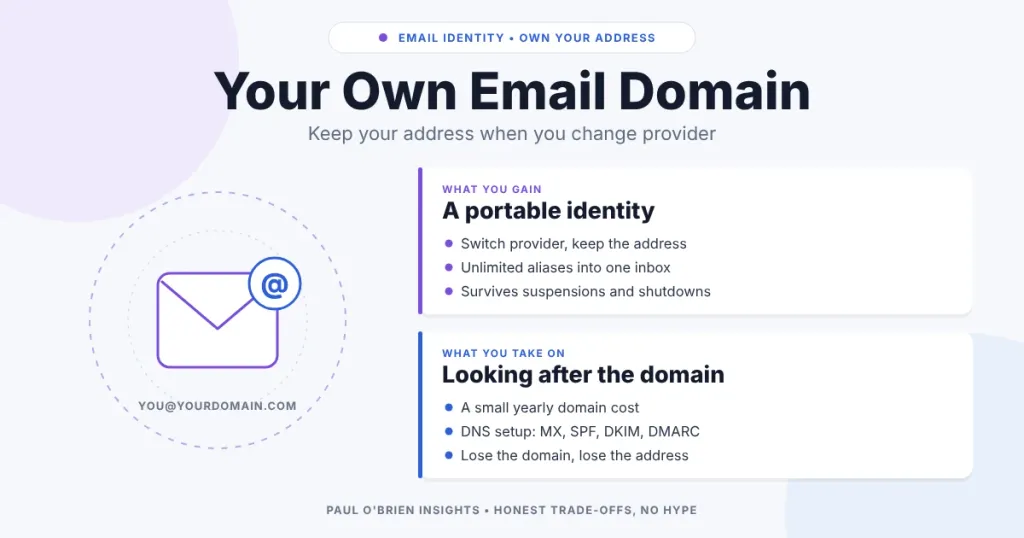
An email address on a domain you own, such as hello@yourname.com, belongs to you. An address like name@gmail.com belongs to Google, and one ending in a provider’s domain belongs to that provider. The difference only shows when something goes wrong: a suspension, a price rise, a shutdown or a decision to move. With your own domain you change the provider and keep the address.
This guide covers why a custom domain is worth having, what it costs, which providers support it, how to move without losing mail and the one new thing you take on, which is looking after the domain itself. Prices and plan limits were checked against the providers’ own pages on 8 October 2026, and where a page did not show a price I have said so.
Short answer: for anyone who expects to use email for years, a custom domain is cheap insurance. Register the domain with a registrar you control, point it at a provider that supports custom domains, and set up SPF, DKIM and DMARC so your mail is trusted.
At a Glance: Who Should Use Their Own Domain
| User Profile | Best Fit? | Core Value Drivers / Key Trade-offs |
|---|---|---|
| Anyone using email as their long-term digital identity | Ideal | You can change provider without changing address. You take on a small yearly domain cost and some DNS setup. |
| Freelancers, small businesses and side projects | Ideal | A professional address, aliases per purpose and the option to add colleagues later. |
| Privacy-minded users who use many aliases | Strong fit | Unlimited addresses on your domain, one inbox. Pair with the alias features covered in masked vs disposable email. |
| Someone happy with a throwaway free address | Workable | Free and simple, but the address is tied to one provider’s rules. |
| Someone who will not manage a renewal or DNS | Partial fit | A lapsed domain means a lost address. Turn on auto-renew and two-factor authentication, or stay with a provider address. |
Email Addresses Are Identity
Most people pick a free address early and then build years of accounts, receipts, logins and password resets around it. It quietly becomes your primary digital identity. If the provider suspends or closes the account, a provider-owned address goes with it, along with every service that sends its reset links there. A custom domain anchors the identity to something you own, while the infrastructure behind it stays replaceable.
What You Gain
- Portability. Moving provider means changing a few DNS records and copying your mail across. Your address stays the same, so nobody has to be told. How smooth the cut-over is depends on how you plan it (see below).
- No lock-in. If a service degrades, raises its prices or changes direction, you can leave. The decision to move stops being a decision to abandon your address. I covered one such move in why I switched from Proton Mail to Fastmail.
- Resilience. The address survives suspensions, outages and shutdowns of any one provider.
- A cleaner address. Short, readable names on large providers are mostly taken, which pushes people towards numbers and suffixes such as
paul3837uk@gmail.com. On your own domain,hello@orpaul@is available. - Aliases for every purpose.
shop@,bank@ornewsletters@all land in one inbox, and a leaked or spammed address can be retired without touching the rest.
Know the limits: a custom domain does not make your mail private. Your provider still handles the messages, and the domain name is public. It separates your address from your provider. For the privacy side, see free vs paid email: what you really pay with.
What It Costs
There are two separate costs: the domain, and the mailbox hosting. Domains are typically in the region of £10 to £15 a year for a common extension such as .com, though it varies by registrar and extension, so check the renewal price as well as the first-year one. Cloudflare Registrar, for example, says it charges only the registry’s fees with no markup, on more than 390 extensions, which makes renewals predictable.
Hosting depends on the provider. These are the limits as listed on their pricing pages:
| Provider and plan | Custom domains | Price shown on the provider’s page | Notes |
|---|---|---|---|
| Zoho Mail Free | One domain, up to 5 users | Free | 5 GB per user. No IMAP, POP or ActiveSync, so web and mobile app only. Only available in select regions. |
| Proton Mail Plus | 1 custom domain | Price not shown on the page I could read. Proton lists CHF, EUR and USD. | 15 GB, 10 addresses. Check the current price in your region. |
| Proton Unlimited | 3 custom domains | Price not shown on the page I could read. | 500 GB, 15 extra addresses, unlimited hide-my-email aliases. |
| Fastmail Individual | Yes | $5 a month on yearly billing ($60 a year), or $6 monthly. Tax excluded. | 60 GB, Masked Email included, up to 30-day free trial. |
| Fastmail Duo / Family | Yes | $8 / $11 a month on yearly billing | Two or up to six users, 60 GB each. |
| Fastmail Basic (business) | No | $3 per user a month, yearly billing | 6 GB per user. Custom domains start on Standard. |
| Google Workspace Starter | Yes, it is built around your domain | £5.90 per user a month (flexible billing, plus VAT) | Business features, not a privacy-first host. See the Workspace Gmail deep dive. |
The point is not the exact total. You are paying a small premium for portability, not for extra storage or features. For a deeper look at two of these hosts, see the Fastmail review and the Proton Mail review.
How to Set One Up
- Register the domain with a reputable registrar, in your own name, with a recovery email that is not on the same domain.
- Choose a provider that supports custom domains and add the domain in its settings.
- Add the DNS records it gives you. That means MX records so mail arrives, and SPF, DKIM and DMARC so your mail is trusted. The email authentication guide walks through all three.
- Create your addresses and aliases and send a test to a separate account.
- Move your old accounts over gradually, starting with the important ones: banking, government, work and anything that sends password resets.
- Keep the old address alive with forwarding for as long as you can, so nothing slips through.
Changing provider later
This is where the arrangement pays off. You add the new provider’s records, wait for DNS to update, and copy your existing mail across using the new provider’s import tool or an IMAP transfer. Because the address does not change, no one else has to do anything. Lower the DNS record lifetime (TTL) a day or two beforehand so the switch takes effect quickly, and check that SPF and DKIM are updated for the new provider, since old records will cause failures. If you only plan to send from the new service, the SPF guide explains why leaving two SPF records is a mistake.
The New Responsibility: Looking After the Domain
The trade-off is real. You now depend on the domain, and if you lose it you lose the address. These habits keep that risk small:
- Turn on auto-renew and keep a valid payment method. An expired domain can be registered by someone else.
- Protect the registrar account with a strong unique password and two-factor authentication. Whoever controls it controls your mail. A password manager helps, see what password managers do and why aliases matter.
- Use a recovery contact outside the domain, because if your domain mail is down you may need email to recover the registrar account.
- Keep DNS records documented so a migration is a copy job, not an investigation.
Pros and Cons
| Strengths | Weaknesses |
|---|---|
| Address independent of any provider | Yearly domain cost and renewal to manage |
| Unlimited aliases on one inbox | Some DNS setup, including SPF, DKIM and DMARC |
| Professional, memorable address | Losing the domain means losing the address |
| Easy to move if a provider changes | Does not by itself make mail more private |
Frequently Asked Questions
Do I need a custom domain for email?
No, but it is the best protection against being locked to one provider. If you only use email casually, a free address is fine.
How much does a custom email domain cost?
The domain is typically around £10 to £15 a year, plus hosting if the mailbox is not free. Fastmail Individual lists $60 a year on yearly billing, and Zoho offers a free plan for one domain with limits. Check each provider’s current page.
Which providers support custom domains?
Fastmail on its Individual, Duo, Family, Standard and Professional plans, Proton Mail on paid plans, Zoho Mail including its free plan, and Google Workspace, among others. Plans differ on how many domains they allow.
Will I lose email when I switch provider?
Not if you plan it. Add the new provider’s records, import your old mail, and keep forwarding on the old account while you move over your logins. Mail sent during DNS propagation can briefly arrive at either place, so check both for a day or two.
Is a custom domain more secure?
It is more resilient, not automatically more secure. Security depends on your provider, your registrar account protection and correct authentication records.
What happens if my domain expires?
Your mail stops, and someone else may be able to register the domain and receive mail sent to it. Enable auto-renew and keep payment details current.
Can I use a custom domain with free Gmail?
Not for a mailbox on Gmail itself. Gmail with your own domain means Google Workspace, which is a paid plan. Some people use Gmail only to receive forwarded mail, but that keeps the address dependent on that setup.
The Bottom Line
The value of a custom domain is time and control, not status. Separating the address from the provider turns a future move from an emergency into an afternoon’s work. The cost is small and the one new job, keeping the domain renewed and protected, is manageable. If your email is going to be your identity for the next decade, owning the address is a sensible place to start.
Sources: Fastmail pricing; Proton Mail pricing; Zoho Mail pricing; Cloudflare Registrar. No affiliate links in this article.

