
Mailbox.org Review (2026): Plans, Trial Limits & Privacy
Mailbox.org is a paid German email provider with own data centres, custom domains from €3 a month, standard IMAP and usable PGP and S/MIME. Here is what changed in its 2026 plans, why the free trial can't test real email, and who it suits.

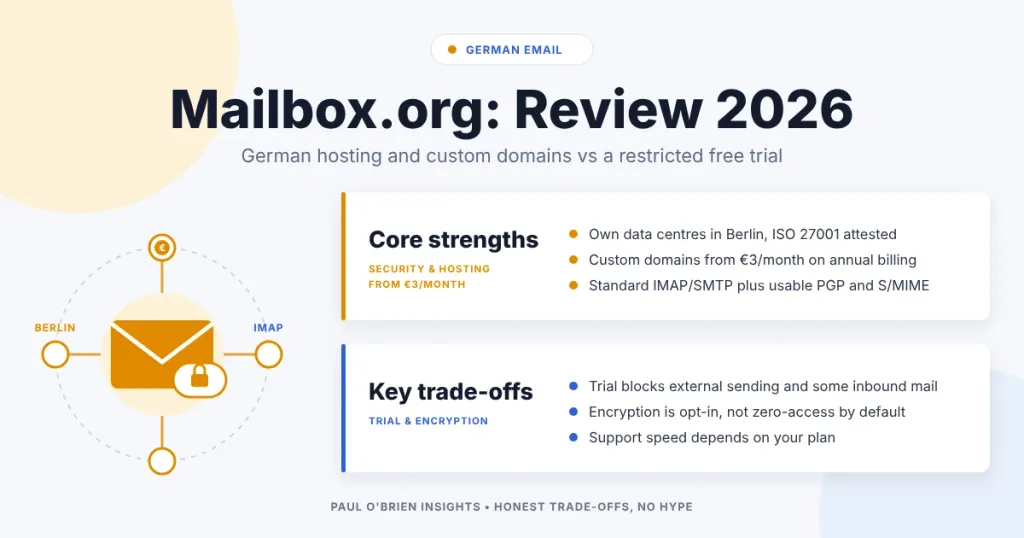
Mailbox.org is a paid German email provider with strong transport security, custom domains, standard IMAP support and usable PGP and S/MIME. Its free trial is heavily restricted, though, so you can’t properly test day-to-day email without paying first.
Mailbox.org is aimed at people who want email to be predictable, secure and built to last. It presents itself as independent from the big US stacks, with a heavy emphasis on security standards and transport encryption, and it runs its own data centres in Germany.
It had slipped by me before, partly because it presents itself as more of a broader suite than a straightforward email service. Once I took a closer look, I was impressed by how much attention it gives to security and privacy. That is usually what draws me to providers like Proton Mail, StartMail, Tuta Mail and Posteo, even though they each approach those priorities in different ways.
I’m mostly looking at the email side here, but it’s worth saying up front that Mailbox.org is not just mail. You also get calendar, contacts and, depending on the plan, a wider set of workspace tools.
Short answer: Mailbox.org is a serious, full-service mail platform with custom domains from the Standard plan (€3 a month on annual billing, €4 monthly). It is a good fit if you want German hosting and standard protocols. The main catch is the trial, which blocks external sending and restricts incoming mail until you pay.
At a Glance: Who Mailbox.org Is (and Isn’t) For
| User Profile | Best Fit? | Core Value Drivers / Key Trade-offs |
|---|---|---|
| Privacy-minded users who want German hosting | Ideal | Own data centres in Germany, no advertising, strong transport security and ISO 27001 certification. |
| Custom-domain users on a budget | Strong fit | Custom domains from the Standard plan at €3 a month on annual billing. |
| Desktop-client and IMAP users | Strong fit | Standard IMAP and SMTP, with selective folder subscription, so your setup stays portable. |
| Small organisations and public-sector buyers | Strong fit | Formal security attestations and business plans. Support on the lower plans is slower than I would like. |
| Anyone who wants end-to-end encryption by default | Alternative needed | PGP and S/MIME are available, but opt-in. Mail is not zero-access encrypted by default. |
| People who want to test before paying | Partial fit | The 30-day trial is a restricted evaluation account, not a working mailbox. |
Signup, Trial Limits and What “Free” Really Means
The signup experience was straightforward, and I didn’t need to enter payment details just to get into the product and look around. You can explore the interface, settings, folders and overall workflow without a card prompt getting in the way.
But the free trial has restrictions that matter if you’re trying to test the service properly. At first glance it looks like a normal 30-day trial, but in practice it is more constrained than that. I contacted Mailbox.org directly and asked whether the outgoing mail restriction could be lifted so I could review the service properly. Their reply made clear that the limits are deliberate and tied to anti-spam controls on unpaid trial accounts.
| Trial Limit | What Mailbox.org Says |
|---|---|
| Duration | 30 days. Accounts are deleted after 30 days unless a payment has been received. |
| Sending | Up to 10 emails a day, only to other mailbox.org addresses. External sending is blocked. |
| Receiving | Mail from certain external senders is restricted (its knowledge base gives social media, payment services and verification codes as examples). Support told me it can’t receive from almost all major providers until a deposit has been made. |
| Mail storage | 100 MB |
| Drive storage | 10 MB |
| Aliases | One (as I found; not listed in the knowledge base) |
That is a more serious limitation than it first appears. It means you cannot fairly judge how the service handles ordinary back-and-forth communication with Gmail, Outlook and other mainstream providers while still on the free account. For a reviewer, that blocks one of the most important parts of testing: whether the service works cleanly in the mixed-provider world most people actually live in. This is really a restricted evaluation account, not a full working trial of the mail service.
There’s also a billing detail worth being explicit about because it affects how you move beyond the trial. Mailbox.org uses prepaid credit: you top up your balance and the subscription is taken from that. It supports bank transfer, SEPA direct debit, card, PayPal, cash by post (in euros) and cash deposit to a bank account. It does not accept cryptocurrency. One important detail is that, as I was told, credit refunds are not available. So if you do decide to pay in order to test the service properly, add only what you expect to use rather than loading extra credit upfront.
Webmail, Local Clients and the General Feel
Mailbox.org supports webmail, but it also supports standard protocols, which matters to me. You can use local mail clients via IMAP and SMTP, rather than being forced into a single interface. That’s a basic expectation for a serious paid email service, and it keeps your setup portable.
The webmail UI itself is genuinely nice. It’s modern but refreshingly simple, with a familiar three-pane layout that doesn’t fight you. It’s also fast. Clicking around feels responsive, with no noticeable lag. In that sense it’s a strong “daily use” interface: not flashy, just competent.
There are a couple of UI quirks worth mentioning because they stood out while using it. One is the placement of the refresh icon. In most webmail clients, refresh sits close to the message list or mailbox controls. Here it lives up in the top-right toolbar, near the account-level controls. It’s not the end of the world, but it took me a moment to find.
The other is more jarring. When I logged out, I hit an unwelcome 500 error page. It may be a beta edge case, but it’s the kind of thing that dents confidence because it’s not a subtle bug: it’s a server error on a basic path. The rest of the UI feels polished, so this stood out.
Organisation Features, Sending Controls and What I Couldn’t Find
Mailbox.org offers a good set of everyday email features that are easy to underestimate until you rely on them. The organisation layer is strong: there are inbox categories, folders and rule-based sorting, and the rule definition is particularly clear. It’s the kind of filter UI where you can describe what you want to happen without feeling like you’re fighting a hidden logic engine.
- Sending controls. Undo send is supported, and there are controls for auto-forward and auto-BCC, which are useful if copies need to land elsewhere.
- Migration and backup. You can add third-party email accounts, import mail from them, and use explicit backup options.
- Selective IMAP folder subscription, which matters if you use local mail clients and want more control over what syncs.
- Alternative senders. You can verify an external address and send from that identity in the web client. It isn’t the same as fully integrating that mailbox, and it can run into deliverability limits.
- Themes and digital legacy controls. Lots of themes (mostly personal taste, but they can matter for readability), and a “digital legacy” setting, which I think of as a grown-up feature: planning for what happens to access if something happens to you.
One thing I couldn’t see, at least in the obvious places, was scheduled send. It may exist, but I didn’t find it during this round of testing, and I’m flagging that because it’s a feature many people now expect as standard.
Security Posture: Transport-First, Standards-Heavy
Mailbox.org talks a lot about security, but what I appreciate is that much of it is specific. It points to concrete measures around transport and infrastructure, including TLS for web and mail traffic, DNSSEC, which helps protect DNS answers from tampering, and DANE/TLSA, which lets a domain publish and authenticate the TLS certificates or keys its services are meant to use. These are the protections you expect from a carefully run service, rather than vague security claims. Together they are aimed at reducing interception risk and helping you connect to the genuine service rather than an imitation.
There is also a TLS checker in the webmail client, which feels like a feature built for technically minded users. Before sending, you can check whether the receiving server supports TLS and how strong that TLS posture is. Most people will never use it, but if you think about email as a chain of systems rather than a single app, it makes sense.
Another unusual feature is the @secure.mailbox.org alias option, intended for cases where you want to require secure transport. The idea is that messages only go out when encryption can be guaranteed. It’s a rare thing to see packaged as an address choice.
Know the limits: transport encryption protects messages in transit between servers. It is not end-to-end encryption, and it doesn’t eliminate the metadata realities of email.
PGP and S/MIME: Practical Options Rather Than Promises
Mailbox.org supports both PGP and S/MIME. It also tries to make PGP usable in webmail through “Guard”, which matters because PGP is often treated as either “use a local client and configure everything yourself” or “don’t bother”. If you prefer to keep your private key strictly on your local machine, it also supports Mailvelope as a browser-plugin path.
It goes further than many providers by supporting signing and encryption workflows with S/MIME and documenting compatible certificate authorities, and it operates a PGP key server to help with key discovery. The overall impression is that it wants encrypted email to be usable, not just claimable.
None of this makes email magically “safe” in every context, and you have to switch it on. As far as traditional email encryption goes, though, it is a serious and well-developed offering. If you want mail the provider can’t read at all, see what zero-access encryption really means.
Certifications, Audits and the “Public Sector” Angle
Mailbox.org leans on formal security assurances more than most providers. Its site shows ISO/IEC 27001:2022 certification and a BSI C5 Type 1 attestation, the German government’s cloud security criteria catalogue. It also references German recognition and labelling around secure email transport. If you’re buying for an organisation, especially where procurement and compliance matter, those details are relevant. They don’t guarantee perfection, but they usually indicate maturity in process, auditability and operational discipline.
Who’s Behind Mailbox.org and Why That Matters
Mailbox.org sits within the Heinlein Group story: long-running infrastructure experience, an open-source and Linux focus, and its own data centres in Germany. Mailbox.org says your data is stored exclusively in its own data centres, spread across two independent locations in Berlin, and that it runs on 100% renewable energy. Whether you care about that depends on what you optimise for, but it matters for one simple reason: it’s a different model from “email provider as a front-end on top of someone else’s hyperscale stack”.
If your priority is “a European operator running European infrastructure under European legal regimes”, this is one of the clearer examples. Compared with some of the other privacy-oriented providers I’ve reviewed, including Posteo, StartMail, Tuta Mail and Mailfence, Mailbox.org feels less shaped around a single headline promise and more around the idea of being a serious, full-service mail platform.
Privacy, Transparency and the Small Details
Mailbox.org positions itself as privacy-minded in practical ways. It talks about anonymous registration options and no advertising, and it supports payment approaches that can be more private than the usual card-first model, such as cash. It also describes what data is collected for operation, and it publishes a privacy policy and transparency reporting around requests.
I like providers that publish transparency reporting because it shows a willingness to be accountable in public, even if the numbers are small. It doesn’t remove legal realities, but it gives you something concrete to assess.
Spam and Malware Filtering
Mailbox.org describes its spam and virus protection as an operational discipline: systems maintained, filters tuned, malware scanned in multiple stages. Every provider says “we block spam”, so I’m wary of treating that as a differentiator, but there is a meaningful difference between “we have a spam filter” and “we run and maintain filtering as a core competency”. Its language suggests the latter.
EVAC and Business Continuity
It also offers EVAC, which is about communications resilience during incidents. Most individuals will never use it, but it tells you who it’s building for: organisations that treat email as critical infrastructure and want a continuity plan that doesn’t boil down to hope.
Mailbox.org Plans and Pricing in 2026
Mailbox.org changed its plans in summer 2026. From 15 July 2026 the Standard and Premium plans got double the storage, and new prices apply to new customers from that date and to existing customers from 1 September 2026. Prices below are as listed on Mailbox.org’s pricing page in October 2026, including VAT at your country’s rate.
| Plan | Annual billing | Monthly billing | Mail storage | Drive storage | Aliases | Custom domains | Support |
|---|---|---|---|---|---|---|---|
| Light | €1/month | — | 2 GB | None | 3 @mailbox.org | No | Limited: contract, credit and password reset only |
| Standard | €3/month | €4 | 20 GB | 10 GB | 25 @mailbox.org plus 50 custom-domain aliases | Yes | Normally within 48 hours (business days) |
| Premium | €9/month | €12 | 50 GB | 100 GB | 25 @mailbox.org plus 250 custom-domain aliases | Yes | Prioritised (Mon–Fri, usually within 24 hours), plus callback service |
The Light tier is quite constrained and only really suits very modest use. For most people, Standard is the realistic starting point, and it’s the first tier with custom domains. Premium is there for heavier users who want more storage and stronger support. All three include a 30-day trial, with the limits above. Business plans (Silver, Gold and Platinum) start at €25 a month net for up to 50 mailboxes.
Support and Response Times
Support is one area where Mailbox.org was clearly dealing with pressure. When I contacted support, I received an automated reply warning that response times were longer than usual, with some cases taking up to two weeks. The explanation given was a combination of strong customer growth, higher demand following the September 2025 Open-Xchange 8 relaunch, and continued efforts to grow the support team. That is understandable, but it still matters. If responsive support is important to you, keep in mind that the plan you pick sets the target response time.
Update: my support request was answered within a few days.
Comparative Matrix: Mailbox.org vs. the Alternatives
| Feature | Mailbox.org Standard | Posteo | Fastmail Individual | Proton Mail Plus |
|---|---|---|---|---|
| Price (annual billing) | €3/month | €1/month | $5/month | £3.19/month |
| Mail storage | 20 GB (plus 10 GB drive) | 4 GB (up to 75 GB) | 60 GB (50 GB mail, 10 GB files) | 15 GB |
| Custom domains | Yes | No | Yes | 1 |
| Hosting | Germany (own data centres, Berlin) | Germany | Australia (EU or US storage) | Switzerland |
| Standard IMAP/SMTP | Yes | Yes | Yes | Via Bridge |
| Zero-access by default | No (PGP and S/MIME opt-in) | No (optional Crypto Mail Storage) | No | Yes |
| Free trial | 30 days, heavily restricted | Refund of credit in the first month | Up to 30 days | Free plan |
| Full Review | You are here | Posteo review | Fastmail review | Proton Mail review |
| Try It | Mailbox.org (not an affiliate link) | Posteo (not an affiliate link) | 10% off your first year | Try Proton Mail |
Pros and Cons
| Strengths | Weaknesses |
|---|---|
| Own data centres in Germany, ISO 27001 and BSI C5 attested | The trial blocks external sending and restricts incoming mail until you pay |
| Custom domains from €3 a month on annual billing | Light plan has no custom domains and limited support |
| Standard IMAP and SMTP, plus selective folder subscription | No refunds of prepaid credit, as I was told |
| Usable PGP (Guard) and S/MIME, plus DNSSEC, DANE and a TLS checker | Encryption is opt-in; mail is not zero-access by default |
| Fast, simple webmail with strong rules and organisation tools | A 500 error on logout and no scheduled send that I could find |
| No advertising, 100% renewable energy | Support times have been under pressure, and vary by plan |
Frequently Asked Questions
Is Mailbox.org free?
Not really. There is a 30-day trial that needs no payment details, but it is a restricted evaluation account. Sending is limited to 10 emails a day to other Mailbox.org addresses, storage is 100 MB of mail and 10 MB of drive, and incoming mail from some external senders is restricted. The cheapest paid plan, Light, is €1 a month.
How much does Mailbox.org cost?
Light is €1 a month, Standard is €3 a month on annual billing (€4 monthly), and Premium is €9 a month on annual billing (€12 monthly). These are the prices on its pricing page in October 2026, after the summer 2026 plan changes.
Does Mailbox.org support custom domains?
Yes, on Standard and Premium. Standard includes 25 @mailbox.org aliases plus 50 custom-domain aliases, and Premium includes 25 plus 250. The Light plan doesn’t support custom domains.
Is Mailbox.org private and secure?
It is secure by mainstream standards: TLS, DNSSEC, DANE, ISO 27001 and BSI C5, German hosting and no advertising. It isn’t zero-access by default, so it can’t hide your mail from the provider unless you use PGP or S/MIME. See my guide to zero-access encryption if that matters to you.
Where is Mailbox.org based?
Germany. Mailbox.org says your data is stored exclusively in its own data centres, spread across two independent locations in Berlin.
Mailbox.org vs Posteo: which is better?
Posteo is cheaper and more minimal, but it doesn’t support custom domains. Mailbox.org costs more, adds custom domains, more storage and a wider suite, and suits organisations better. If you need your own domain, Mailbox.org is the one to look at. See my Posteo review.
Does Mailbox.org work with Outlook, Thunderbird and Apple Mail?
Yes. It supports standard IMAP and SMTP, so you can use a local mail client of your choice instead of the webmail.
My Take
Mailbox.org feels like a serious service. The webmail UI is good, it’s fast, and it has a strong “this is for daily use” quality. The security posture is detailed and transport-focused in a way I respect, and the encryption options (PGP and S/MIME) are presented as real workflows, not just labels.
The main frustration is the trial experience. Mailbox.org does let you explore the interface and settings without entering payment details, which is welcome, but the account is too restricted to stand in for real-world email use. External sending is blocked, inbound mail from many major providers is also restricted until credit is added, and storage is capped very tightly. So while you can get a feel for the UI and feature set, you cannot properly assess ordinary day-to-day email flow or deliverability without paying first.
If you’re the kind of person who wants a paid provider in Germany, with standard protocols, strong transport security and a grown-up feature set, Mailbox.org belongs on your shortlist. Just go in with your eyes open about what the trial can and can’t prove.
Disclosure: This article contains affiliate links for Fastmail and Proton Mail. If you sign up through them, I may earn a commission at no extra cost to you. The Mailbox.org and Posteo links are not affiliate links. I only recommend services I have used and would be comfortable recommending.

