
The History of Email: From a 1971 Hack to the Web's Identity Layer
Email began as a quick hack between two computers in the same room, and it still runs on rules written in 1982. Here's how it grew from ARPANET into the backbone of online identity, and what that history means for choosing a provider today.

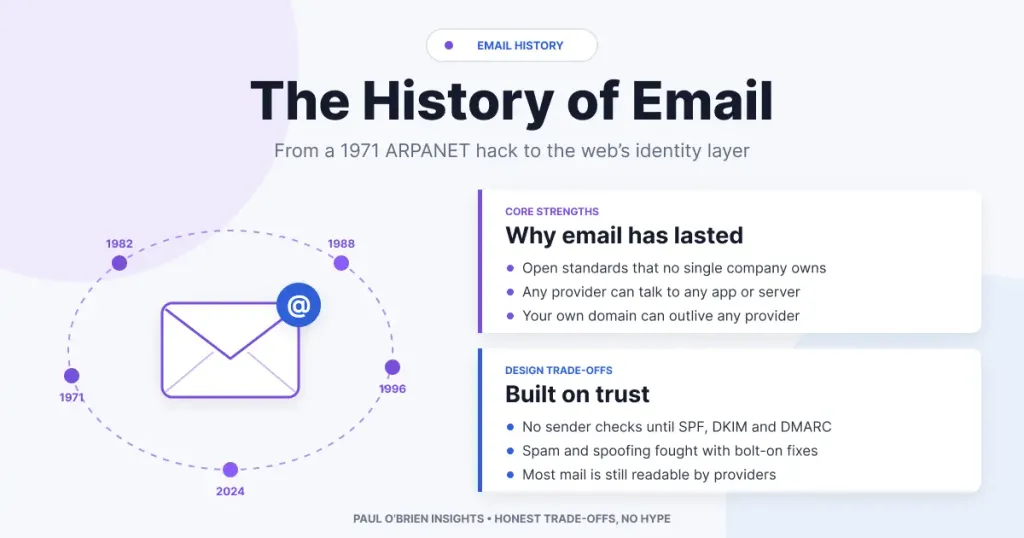
Email is so ordinary that most of us never think about it. Yet the system that delivers your bank alerts, password resets and newsletters began as a quick hack between two computers in the same room, and it still runs on rules written in the early 1980s.
I spend a lot of time on this site comparing email providers, from Fastmail to Proton Mail and Tuta. Almost every trade-off I write about, whether it’s spam filtering, encryption or why you should own your own domain, makes more sense once you know where email came from. So this is the back story: how a side project on ARPANET turned into the closest thing the internet has to a universal identity system.
At a Glance: Email’s Key Milestones
| Year | Milestone | Why It Mattered |
|---|---|---|
| 1965 | MAIL command on MIT’s CTSS time-sharing system | One of the first ways for users of a shared computer to leave each other messages |
| 1971 | Ray Tomlinson sends mail between two ARPANET hosts and picks the @ sign | The first networked email and the user@host address format we still use |
| 1973–77 | RFC 561 and RFC 733 standardise message headers | From, To, Subject and Date become common ground between systems |
| 1978 | Gary Thuerk’s mass mailing at DEC | Widely regarded as the first spam |
| 1981–82 | RFC 788, then RFC 821 (SMTP) and RFC 822 (message format) | The protocol that still moves almost all email between servers |
| 1984–88 | POP (1984) and IMAP (designed 1986, first RFC 1988) | Standard ways for a mail client to collect mail from a server |
| 1992 | MIME | Attachments, non-English text and, eventually, HTML email |
| 1993–96 | Webmail prototype at CERN, then Hotmail and RocketMail | Email in any browser, free, and detached from your ISP |
| 2004 | Gmail launches with 1 GB of storage | Ended the era of constantly deleting mail to stay under quota |
| 2006–15 | SPF, DKIM and DMARC published as RFCs | Domain owners can finally say who is allowed to send as them |
| 2024–25 | Google, Yahoo and Microsoft enforce authentication for bulk senders | Authentication moves from best practice to a requirement |
| 2024–26 | Tuta and Proton Mail add post-quantum encryption | End-to-end encrypted providers prepare for future quantum attacks |
Before the Network: Notes on a Shared Computer
In the 1960s, computers were large, expensive machines owned by universities, government labs and big companies. Time-sharing systems let many people use one machine at once from separate terminals, and it didn’t take long for those people to want to leave each other notes.
One of the earliest examples was the MAIL command on MIT’s Compatible Time-Sharing System (CTSS), written in 1965 by Tom Van Vleck and Noel Morris. It worked by appending your message to a file in the recipient’s directory. That was the whole trick. It only worked if you and the person you were writing to used the same computer, but the idea of an electronic mailbox was there.
1971: Ray Tomlinson and the @ Sign
ARPANET, the US Defense Department-funded network that became the foundation of the internet, went live in 1969. Its purpose was to share computing resources between research sites, not to carry personal messages.
In late 1971, Ray Tomlinson, an engineer at Bolt Beranek and Newman (BBN) in Cambridge, Massachusetts, combined two programs he was working on. SNDMSG could leave a message for another user on the same machine, and CPYNET could copy files between machines over ARPANET. Joining them meant a message could be appended to a mailbox file on a different computer. His first test went between two PDP-10s sitting side by side at BBN, connected only through the network.
He needed a way to say which user on which machine, and he chose the @ sign because it read naturally (“user at host”) and didn’t appear in anyone’s name. More than fifty years later, every email address on the planet still uses it.
Tomlinson later said he couldn’t remember what the first message said, only that it was something forgettable along the lines of “QWERTYUIOP”. He was inducted into the Internet Hall of Fame in 2012 and died in 2016.
Email caught on quickly. Within a couple of years it accounted for a large share of ARPANET traffic, which is a fair sign that people valued talking to each other at least as much as they valued remote access to computers.
From Hack to Standard: The RFCs That Built Email
Early network mail was a patchwork. Messages were carried over the File Transfer Protocol, and each site had its own ideas about headers. A series of Requests for Comments (RFCs), the documents that define how the internet works, slowly brought order to it.
| Document | Year | What It Did |
|---|---|---|
| RFC 196 | 1971 | “Mail Box Protocol”, an early proposal for delivering mail to printers and mailboxes over the network |
| RFC 561 | 1973 | Standardised the From, Date and Subject headers (Tomlinson was a co-author) |
| RFC 733 | 1977 | A fuller standard for the format of ARPANET text messages |
| RFC 788 | Nov 1981 | First specification of the Simple Mail Transfer Protocol, by Jon Postel |
| RFC 821 | Aug 1982 | The SMTP standard that replaced RFC 788 and stayed in force until 2001 |
| RFC 822 | Aug 1982 | The message format standard, by Dave Crocker, defining headers that still look familiar |
| RFC 974 | 1986 | Mail routing using DNS MX records, so mail could find the right server for a domain |
| RFC 5321 / 5322 | 2008 | Today’s versions of the SMTP and message format standards |
A note on dates: you’ll often see SMTP dated to 1981 because of RFC 788. That was the first version. The one most people mean by “SMTP” is RFC 821 from August 1982, published alongside RFC 822 for the message format.
SMTP was deliberately simple. One server connects to another, says who the message is from and who it’s for, sends the text and hangs up. It was designed for a small network of researchers who largely trusted each other, so there was no check that the sender was who they claimed to be. That decision made email easy to adopt, and it’s the root of almost every spam and phishing problem since.
Email Crosses the Atlantic (and Gets Its First Spam)
The UK was involved early. Peter Kirstein’s group at University College London connected to ARPANET in 1973, and on 26 March 1976 Queen Elizabeth II sent an email from the Royal Signals and Radar Establishment in Malvern, announcing a programming language called Coral 66. Her username was HME2.
Two years later came the first unwanted bulk email. On 3 May 1978 Gary Thuerk, a marketing manager at Digital Equipment Corporation, sent an invitation to a product demonstration to around 400 ARPANET users. It generated complaints and, apparently, some sales. The word “spam”, borrowed from the Monty Python sketch, only became common for this kind of thing in the early 1990s.
Why Email Spread
Through the late 1970s and 1980s, email spread from research labs into universities, government and business. The reasons were practical:
- It was cheap and fast. A message arrived in minutes, without the cost of a long-distance call or the delay of the internal post.
- It was asynchronous. Sender and recipient didn’t need to be at their desks at the same time, which mattered a great deal across time zones.
- It left a record. Messages could be kept, forwarded and searched, which phone calls couldn’t.
Plenty of email in this period never touched ARPANET. Companies ran internal systems, UUCP networks passed mail between Unix machines using “bang paths” such as host1!host2!user, FidoNet linked bulletin boards from 1984, and commercial services like CompuServe and MCI Mail sold email to businesses and enthusiasts. Many of these could only talk to each other through gateways, if at all.
The Protocol Wars: Why SMTP Won
In the 1980s, it wasn’t obvious that SMTP would win. Telecoms operators and governments, including the UK’s, backed X.400, a much more elaborate standard from the international standards bodies, first published in 1984. X.400 addresses looked something like C=GB; A=; P=Company; O=Sales; S=Smith; G=John, which tells you most of what you need to know about its chances with ordinary users.
SMTP won because it was simple, free to implement, already working and carried by the internet as the internet itself took over from rival networks. By the mid-1990s the question was settled. The lesson, which comes up again and again in the history of technology, is that the standard people can actually deploy tends to beat the one designed to cover every case.
Collecting Your Mail: POP, IMAP and MIME
SMTP moves mail between servers, but it doesn’t help you read it. Once people started using personal computers that weren’t always connected, they needed a way to fetch mail from a server. Two protocols took on that job.
| Protocol | Origins | How It Works | Where It Stands Today |
|---|---|---|---|
| POP (Post Office Protocol) | RFC 918 in 1984; POP3 in 1988, current spec RFC 1939 (1996) | Downloads mail to one device, often deleting it from the server | Still supported, but a poor fit for anyone with a phone and a laptop |
| IMAP (Internet Message Access Protocol) | Designed by Mark Crispin at Stanford in 1986; IMAP2 in RFC 1064 (1988) | Keeps mail on the server and syncs folders and read status across devices | The standard for desktop and mobile clients; IMAP4rev2 published in 2021 |
| JMAP (JSON Meta Application Protocol) | RFC 8620 and RFC 8621, 2019 | A modern, web-friendly replacement for IMAP, built around JSON over HTTPS | Used by Fastmail, which led its development, and a growing number of other projects |
The other big change was MIME (Multipurpose Internet Mail Extensions), first published in 1992 by Nathaniel Borenstein and Ned Freed. The original standards only handled plain US-ASCII text. MIME added attachments, non-English character sets and multi-part messages, which later made HTML email possible. Every PDF invoice and photo you’ve ever emailed depends on it.
Webmail and the Consumer Boom
In the mid-1990s, most people got an email address from their internet service provider. You used a desktop client such as Eudora, Outlook Express or Netscape Mail, and your address ended in your ISP’s domain. If you changed provider, you lost it.
Webmail broke that link. Phillip Hallam-Baker built an early web-based mail interface at CERN in 1993 as a test of the HTTP protocol, though it wasn’t developed further. The commercial breakthrough came in 1996:
- Hotmail launched on 4 July 1996, founded by Sabeer Bhatia and Jack Smith. The name was a nod to HTML. Microsoft bought it at the end of 1997, for a price reported at around $400 million.
- RocketMail launched the same year and was bought by Yahoo, becoming Yahoo Mail in 1997.
- Gmail arrived on 1 April 2004 with 1 GB of free storage, at a time when rivals offered a few megabytes. Many people assumed it was an April Fools’ joke.
Free webmail made email truly universal, and it also set the business model that still shapes the market. Free inboxes are paid for by advertising, data or upselling, while paid providers charge you directly. I’ve written about what the ad-funded end of that can look like.
Over the same period, the email address quietly became your identity on the web. It’s your username, the place password resets go, a second factor for many accounts and the way companies reach you. That’s why losing access to an inbox can be so damaging, and why I recommend using an address on your own domain. If you own the domain, you can move to a different provider without changing your address.
Email in Your Pocket
BlackBerry made push email a business essential in the early 2000s, and the iPhone in 2007, followed by Android, put a full email client in everyone’s pocket. That shift is a big part of why IMAP, which keeps everything in sync on the server, beat POP, and why webmail providers built proper mobile apps.
Spam, Spoofing and the Fight for Trust
Because SMTP never checked who a sender was, forging the “From” address was trivial. By the late 1990s spam was a serious problem, and in the early days many servers were “open relays” that would forward mail for anyone. Blocklists such as Spamhaus, founded in 1998, and content filters helped, but the internet also needed a way for a domain owner to say which mail genuinely came from them.
Three standards now do most of that work. They all rely on records published in the sending domain’s DNS.
| Standard | Published | What It Checks | What It Doesn’t Do |
|---|---|---|---|
| SPF (Sender Policy Framework) | RFC 4408 (2006), updated as RFC 7208 (2014) | Whether the sending server’s IP address is on the domain’s list of authorised senders | Doesn’t check the visible From address on its own, and breaks when mail is forwarded |
| DKIM (DomainKeys Identified Mail) | RFC 4871 (2007), updated as RFC 6376 (2011) | A cryptographic signature that proves the message came from the signing domain and wasn’t altered | Doesn’t encrypt anything, and says nothing about which domain the reader sees |
| DMARC (Domain-based Message Authentication, Reporting and Conformance) | Launched by an industry group in 2012, RFC 7489 (2015) | That SPF or DKIM passes for the same domain shown in the From address, and tells receivers whether to monitor, quarantine or reject failures | Only protects the exact domain, so lookalike domains still need other defences |
For years these were optional. That changed in February 2024, when Google and Yahoo began requiring SPF, DKIM and DMARC from anyone sending more than 5,000 messages a day to their users. Microsoft followed for Outlook.com in May 2025. If you run your own domain, even for a small business, these records are now part of basic housekeeping. My Amazon SES review goes into what that looks like in practice for anyone sending mail at volume.
Know the limits: SPF, DKIM and DMARC prove where a message came from. They don’t keep it private. Encryption between servers came separately, through STARTTLS (standardised in 1999) and later MTA-STS (2018), and even then a message is usually stored readable on the servers at each end.
Why Chat Didn’t Kill Email
Instant messaging, then Slack, Teams and WhatsApp, were each supposed to finish email off. Instead, they took over the quick, casual conversations, and email kept the rest.
Email still wins for anything that needs to cross organisational boundaries, last for years or stand as a record: contracts, receipts, account notices, job applications and anything a regulator or a court might want to see. Nobody needs to join your workspace or install your app to receive it. That’s a direct consequence of it being an open standard.
Privacy and Ownership Today
Standard email was never private. By default, your provider can read your mail, and so can the provider at the other end. Phil Zimmermann released PGP in 1991 to change that, and S/MIME followed as the corporate alternative, but both remained hard to use for ordinary people for decades.
As concerns about advertising, profiling and surveillance grew, a new group of providers built their services around privacy. They broadly take one of two approaches.
| Approach | Examples | What It Protects | Key Trade-offs |
|---|---|---|---|
| Privacy-respecting standard email | Fastmail, StartMail, mailbox.org, Posteo | No advertising or data mining, tracker blocking, masked or alias addresses, custom domains; StartMail and mailbox.org also offer optional PGP | The provider can technically read mail stored in your account; in return, standard IMAP/SMTP apps work normally |
| End-to-end and zero-access encryption | Proton Mail, Tuta | Mail is encrypted with keys the provider doesn’t hold, so stored mail can’t be read by the provider | Messages arriving from ordinary email are readable on arrival before they’re encrypted; some metadata stays visible; third-party app support is limited |
One caveat on encryption: encrypted providers protect the content of your messages much better than they protect your identity or metadata. Who you email, when, and (on Proton) your subject lines aren’t end-to-end encrypted. I go into this in Proton Mail Protects Your Messages, Not Your Identity.
The newest development is post-quantum encryption, which aims to protect against “harvest now, decrypt later” attacks, where encrypted data is stored today in the hope that a future quantum computer can break it. Tuta introduced its hybrid TutaCrypt protocol for new accounts in March 2024, and Proton began rolling out opt-in post-quantum keys to all Proton Mail users in May 2026. It’s worth being clear that this applies to mail encrypted end to end between those services. Ordinary email between ordinary servers isn’t post-quantum, and most of it isn’t end-to-end encrypted at all.
For most people, though, the biggest privacy and resilience win isn’t encryption. It’s owning your own domain, using masked email addresses to keep sign-ups separate from your real address, and choosing a provider whose business model doesn’t depend on your data. If you’re weighing up where your provider is based, my Switzerland vs. Germany jurisdiction breakdown covers the legal side.
Why Email Has Lasted
Plenty of messaging systems have come and gone in email’s lifetime: AOL Instant Messenger, MSN Messenger, BlackBerry Messenger and many corporate systems. Email has survived for more than fifty years because nobody owns it. Anyone can run a mail server, any client can talk to any provider, and the core protocols (SMTP, IMAP and POP3) are open standards.
That openness has costs. Spam, spoofing and the patchwork of authentication are all side effects of a system built on trust that later had to bolt security on. But it also means email has adapted to everything from mainframe terminals to smartphones while staying backwards compatible, and that your address can outlive any single company. People are still experimenting with what comes next, from decentralised mail on Nostr to AI agents working in your inbox, but they all have to interoperate with the system Ray Tomlinson started.
Frequently Asked Questions
Who invented email?
No single person. Messaging on shared computers existed by 1965, notably on MIT’s CTSS. Ray Tomlinson at BBN sent the first email between two networked computers in 1971 and introduced the @ sign, which is why he’s usually credited.
What was the first email?
Nobody knows. Tomlinson’s test messages went between two machines in the same room, and he later said the content was forgettable, probably something like “QWERTYUIOP”.
When was SMTP created?
The first specification, RFC 788, appeared in November 1981. The standard that took hold was RFC 821, published in August 1982. Today’s version is RFC 5321 from 2008.
What’s the difference between POP and IMAP?
POP downloads your mail to one device and often removes it from the server. IMAP keeps mail on the server and keeps every device in sync. Unless you have a specific reason to use POP, IMAP (or JMAP where supported) is the better choice.
Do I need SPF, DKIM and DMARC for my own domain?
Yes. Good providers set up SPF and DKIM for you when you add a custom domain, and you should add a DMARC record too. Without them, your mail is more likely to land in spam and your domain is easier to impersonate.
Is email secure?
Standard email is usually encrypted between servers, but it’s stored readable by your provider and the recipient’s. For content that only you and the recipient can read, you need end-to-end encryption, either through a service like Proton Mail or Tuta or through PGP or S/MIME.
The Bottom Line
Email was never designed to be the backbone of online identity, commerce and official communication. It became that because it was simple, open and good enough, and because no company could take it away. Its biggest weaknesses, spam, spoofing and weak privacy, come from the same trusting design that made it easy to adopt.
Knowing that history makes choosing a provider easier. Use your own domain so your address is yours, make sure your SPF, DKIM and DMARC records are in place, and pick a provider whose approach to privacy matches what you actually need. For most people that’s a reliable, standards-based service like Fastmail. If you need content that even your provider can’t read, look at Proton Mail or Tuta. My Proton Mail vs Fastmail comparison is a good place to start.
Disclosure: This article contains affiliate links for Fastmail, StartMail and Proton Mail. If you sign up through them, I may earn a commission at no extra cost to you. I only recommend services I personally use and trust.

