
HEY Email Review (2026): Is the Screener Worth $99 a Year?
HEY's Screener is the best answer to cold outreach I've used, but it means HEY-only apps, no IMAP and $99 a year or more. Here is what you get, what it costs, and how it compares with Fastmail.

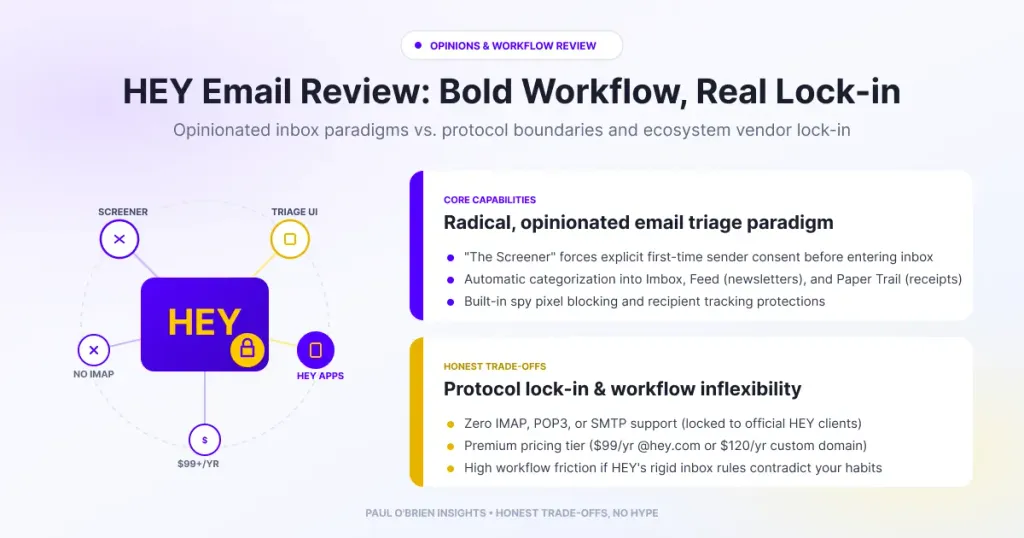
HEY is the most interesting rethink of the inbox in years, and The Screener really does solve cold outreach better than a spam filter. The cost is that you live inside HEY’s own apps, with no IMAP, and you pay $99 a year or more for the privilege. Your data is more portable than the “lock-in” label suggests, but the workflow is not.
When 37signals launched HEY in 2020, it wasn’t pitched as just another email app. It was framed as a fundamental rethink of a 50-year-old protocol. With opinionated features such as The Screener, the Imbox, the Feed and the Paper Trail, HEY set out to strip away the anxiety of the modern inbox.
Having looked closely at email systems across the web, from Gmail’s ecosystem model to Proton Mail’s zero-access encryption, I would describe HEY as a very specific trade-off. It doesn’t fix email infrastructure. It builds a gated community on top of it. I tested a personal @hey.com address and later custom domains, and this review covers what I found, with the prices and policies rechecked against HEY’s own pages in October 2026. If you want the head-to-head, my HEY vs Fastmail comparison goes deeper.
Short answer: HEY is worth it if you are a solo operator buried in cold pitches and newsletters, you are happy to use HEY’s web, desktop and mobile apps, and you want a pre-sorted inbox out of the box. It costs $99 a year for a personal account and $10 to $12 per user per month for a custom domain. It is not for you if you need IMAP, Apple Mail, Thunderbird or a single app that checks several accounts. HEY does let you export your mail, so you can leave.
At a Glance: Who HEY Is (and Isn’t) For
| User Profile | Best Fit? | Core Value Drivers / Key Trade-offs |
|---|---|---|
| Solo operator overwhelmed by cold pitches and newsletters | Ideal | The Screener blocks first-time senders until you approve them, and the Feed keeps newsletters out of your way. |
| Individual who wants a calm, opinionated personal inbox | Strong fit | Pre-sorted mail, spy pixel blocking, a calendar and 100 GB of storage for $99 a year. |
| Small team on its own domain | Partial fit | HEY for Domains adds shared threads, private comments and aliases, but at $12 per user per month and with HEY apps only. |
| Anyone who relies on Apple Mail, Outlook or Thunderbird | Alternative needed | No IMAP, SMTP or POP access. HEY apps are the only way in. |
| Someone who wants one app for several email accounts | Alternative needed | HEY can send as another address, but it does not fetch mail from other providers. |
| Privacy maximalist | Partial fit | No ads or data sales and tracker blocking, but HEY does not offer end-to-end or zero-access encryption. |
What HEY Actually Changes: The Triage Model
Traditional email providers rely on passive filtering. Algorithms and rules try to guess what you care about, but unwanted mail still lands in your main inbox until you manually block it. HEY flips that by making entry explicit.
- The Screener: a digital waiting room for first-time senders. You click “Yes” or “No” to let them through. Reject a sender once and you never see an email from that address again.
- The Imbox (with an “I”): reserved for important conversations from senders you have approved.
- The Feed: a scrollable, RSS-style timeline for newsletters and bulk updates. Messages arrive pre-read, so you can browse without unread-badge anxiety.
- The Paper Trail: a quiet storage bin for receipts, order confirmations and system alerts.
| What happens to a first-time sender | Where the mail goes |
|---|---|
| You click “No” in the Screener | Blocked permanently |
| You click “Yes” for a person | The Imbox, for direct mail |
| You click “Yes” for a newsletter or bulk sender | The Feed |
| You click “Yes” for a receipt or system sender | The Paper Trail |
By moving the sorting decision to the moment of first contact, HEY solves the cold-outreach problem far better than standard spam filters. HEY also has Set Aside, Reply Later and Bubble Up for mail that needs attention later, and a built-in calendar.
Privacy and Tracking
HEY says it blocks spy pixels by default and loads images through an image proxy, which hides your IP address from the sender without needing a browser extension. Its pricing page also promises no ads and no sale of your data. For why tracking pixels matter, I explain the mechanics in email tracking beacons and privacy risk.
Know the limits: tracker blocking and a no-ads policy are good, but they are not the same as zero-access encryption. HEY’s servers can process your mail, and I found no end-to-end or zero-access encryption offered. If that matters to you, read zero-access encryption: what it really means.
HEY vs. Conventional Email
Evaluating HEY comes down to what you give up in exchange for its workflow.
| Dimension | Standard Provider (Gmail / Fastmail) | HEY (37signals) |
|---|---|---|
| Access protocol | Open (IMAP, SMTP) | HEY apps only (web, Mac, Windows, Linux, iOS, Android) |
| First-contact triage | Reactive (rules or AI) | Mandatory (The Screener) |
| Newsletter handling | Mixed into the inbox or categories | Separated into the Feed |
| Custom domain | Included in paid plans | HEY for Domains: $10 for the first user, then $12 per user, billed monthly |
| Third-party clients | Universal (Apple Mail, Thunderbird and others) | None, by design |
| Data export | Standard export and IMAP access | Export of mail (MBOX), contacts (vCard) and calendars (ICS) |
The Friction: Where the Model Breaks
The triage UI is clever, but living inside HEY brings four limits.
1. Protocol Isolation (No IMAP or SMTP Access)
37signals deliberately does not offer IMAP, SMTP or POP access, so you cannot use HEY inside Apple Mail or Outlook. HEY’s help pages are blunt about it: checking an external account would need IMAP, which HEY does not offer. HEY can send mail from another address, provided that provider supports SMTP with a username and password, and you can forward other accounts into HEY, but it will not fetch mail from Google, Outlook or iCloud for you. If your workflow depends on one desktop client, local backups or several accounts in one place, HEY is a non-starter.
2. Workflow Lock-in, Not Data Lock-in
The “lock-in” in this review’s old title needs a correction. HEY lets you export all your mail and attachments as an MBOX file, contacts as vCard and calendars as ICS, from the account page in a desktop browser. Its “Forever yours” promise says that customers who have paid for at least a year keep their hey.com address reserved and can forward it elsewhere indefinitely. So your data can leave. What does not carry over is the workflow: the Feed, the Paper Trail and the Screener have no equivalent in an IMAP folder tree. Fastmail’s migration guide covers moving mail and contacts across, but not HEY’s sorting.
3. Price and Custom Domain Costs
A personal @hey.com address costs $99 a year. A custom domain costs $10 per month for the first user and $12 per month for each additional user, on monthly billing only. That works out at $120 to $144 per user per year, against $99 for a personal account, so the domain tier is where the cost climbs. Very short @hey.com addresses cost extra on top. If you are weighing whether to use your own domain at all, see why using your own email domain makes sense.
4. Manual Triage Doesn’t Reduce Volume
The Screener gives you better gates, but you still have to walk through them. In my testing I found no AI drafting or automatic summaries in HEY. If you receive 100 legitimate emails a day that need real replies, HEY makes the pile look prettier, but it does not shorten the time you spend typing.
HEY Plans and Pricing in 2026
| Plan | Price | Billing | Includes | Trial |
|---|---|---|---|---|
| HEY for You | $99 per year | Annual | @hey.com address, calendar, 100 GB storage, spy pixel blocking, HEY World personal blog, all apps | 30 days, no card |
| HEY for Domains | $10 for the first user, $12 for each additional user, per month | Monthly | Custom domain, multiple users, shared threads, private comments, aliases | No trial, 30 days to complete setup |
| HEY for Families | $179 per year | Annual | Up to five people, each with an @hey.com address and calendar | See HEY’s pricing page |
Prices are as listed on HEY’s pricing page on 7 October 2026, in US dollars. Two-character and three-character @hey.com addresses cost extra.
Comparative Matrix: HEY vs. the Alternatives
| Feature | HEY | Fastmail | Google Workspace | Proton Mail |
|---|---|---|---|---|
| Entry price | $99 per year | $5 per month (Individual, billed annually) | £5.90 per user per month plus VAT (Starter, flexible billing) | £3.19 per month (Plus, billed annually) |
| IMAP and desktop clients | No, HEY apps only | Yes | Yes | Via Bridge on paid plans |
| Custom domain | HEY for Domains, $10 to $12 per user per month | Yes | Yes, on every plan | 1 on Plus |
| Tracker blocking | Spy pixel blocking and image proxy | Blocks remote images by default | See my Workspace deep dive | Tracker protection |
| Triage model | The Screener, Imbox, Feed, Paper Trail | Conventional folders and rules | Conventional with categories | Conventional folders and labels |
| Data export | MBOX, vCard and ICS | Standard export and IMAP | Standard export and IMAP | Export tool and Bridge |
| Encryption model | Not end-to-end or zero-access | Not zero-access | Not zero-access | Zero-access |
| Full Review | You are here, plus HEY vs Fastmail | Fastmail review | Google Workspace Gmail deep dive | Proton Mail review |
| Try It | No affiliate link | Fastmail (10% off, 30-day trial) | Google Workspace (10% off) | Proton Mail |
Pros and Cons
| Strengths | Weaknesses |
|---|---|
| The Screener handles cold outreach better than a spam filter | No IMAP, SMTP or POP, so no Apple Mail, Outlook or Thunderbird |
| Newsletters and receipts are separated automatically | HEY does not fetch mail from your other accounts |
| Spy pixel blocking and an image proxy by default | The Feed, Paper Trail and Screener do not carry over if you leave |
| Export of mail, contacts and calendars, and a “Forever yours” promise for address holders | Custom domains cost $10 to $12 per user per month, billed monthly |
| Apps for web, Mac, Windows, Linux, iOS and Android, with a 30-day free trial | Manual triage does not reduce the volume you have to answer |
Frequently Asked Questions
Does HEY support IMAP?
No. HEY does not offer IMAP, SMTP or POP access on any plan, and its help pages say so directly. You use HEY’s web, desktop and mobile apps. It can send from other addresses via SMTP and receive forwarded mail, but it does not check other accounts.
How much does HEY cost?
HEY for You is $99 a year, HEY for Families is $179 a year for up to five people, and HEY for Domains is $10 per month for the first user and $12 per month for each additional user, billed monthly. Prices were checked on 7 October 2026 and are in US dollars.
Can I use my own domain with HEY?
Yes, on HEY for Domains, which adds multiple users, shared threads, private comments and aliases. It has no free trial, but you get 30 days to complete setup. Other providers include custom domains in cheaper plans, as I show in HEY vs Fastmail.
Can I leave HEY and take my email with me?
Yes. You can export your mail and attachments as MBOX, contacts as vCard and calendars as ICS, and import them into services such as Fastmail, Gmail or Apple Mail. You lose the Screener, Feed and Paper Trail sorting. HEY also promises that customers who have paid for at least a year keep their hey.com address reserved and can forward it.
Does HEY block tracking pixels?
Yes. HEY lists spy pixel blocking on its plans and uses an image proxy. For a wider explanation, see email tracking beacons and privacy risk.
Is HEY better than Fastmail?
It depends on what you value. HEY is better at making the inbox calm, and Fastmail is better at working with everything else: IMAP, custom domains in cheaper plans and desktop clients. I set the two side by side in HEY vs Fastmail.
The Verdict
HEY proved that the traditional inbox layout can be re-engineered, and its influence is obvious. Many of its best ideas, including screener gates, tracker blocking and receipt segregation, have since been adopted across the industry.
As a primary inbox, though, HEY demands a high degree of compromise. If you are a solo operator overwhelmed by cold pitches and newsletter clutter, you do not mind proprietary apps and you want a pre-sorted inbox out of the box, HEY’s fee is easily justified, and the 30-day trial costs nothing. If you depend on desktop client integration, one app for several accounts or standard protocol flexibility, HEY feels less like a reinvention of email and more like a walled garden with an exit. If that describes you, try Fastmail with a 30-day trial.
Reader offer: 10% off your first year of Fastmail. If HEY’s apps-only model is a dealbreaker, Fastmail gives you IMAP, custom domains and desktop clients, with a 30-day free trial.
Disclosure: This article contains affiliate and referral links for Fastmail, Google Workspace and Proton Mail. If you sign up through them, I may earn a commission or credit at no extra cost to you. I have no affiliate arrangement with HEY or 37signals. I only recommend services I personally use and trust.

