
DuckDuckGo Email Protection Review: Free Tracker Removal
DuckDuckGo Email Protection forwards mail through free @duck.com addresses and strips the trackers it recognises. Here is what it does, what it cannot do and when to choose something else.

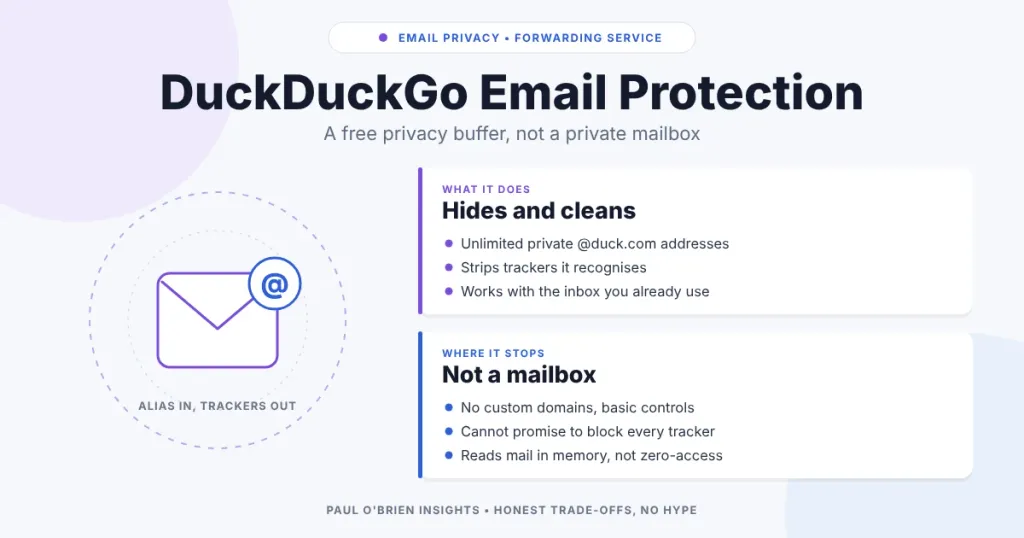
DuckDuckGo Email Protection is a free forwarding service. You get a personal @duck.com address and can create as many private, throwaway @duck.com addresses as you like. Mail sent to them has known trackers stripped out and is then forwarded to the inbox you already use. It is a privacy buffer, not a mailbox and not an encrypted vault, and it is most useful for the sign-ups you would rather not give your real address to.
I use a @duck.com address as a buffer for marketing emails, retail accounts and free downloads, which keeps my permanent address out of those databases and strips some of the tracking pixels on the way in. This guide covers what the service does, what it cannot do, how its privacy claims stack up and when you would pick something else. Details were checked against DuckDuckGo’s own help and privacy pages on 8 October 2026.
Short answer: good, free and low-effort for newsletters, shops and one-off sign-ups. Not a replacement for a private mailbox, it does not support custom domains, and it cannot promise to block every tracker.
At a Glance: Who DuckDuckGo Email Protection Is (and Isn’t) For
| User Profile | Best Fit? | Core Value Drivers / Key Trade-offs |
|---|---|---|
| Anyone signing up to shops, newsletters and free downloads | Ideal | A fresh private address per site, each switchable off on its own. Free and unlimited. |
| Someone who wants fewer tracking pixels without changing provider | Strong fit | Works with Gmail, Outlook, Apple Mail, Proton and others. Only mail sent to a Duck Address is covered. |
| Someone who wants one stable alias they can move between inboxes later | Strong fit | Change the forwarding address in one place without updating every account. |
| Anyone who needs aliases on their own domain | Alternative needed | Addresses are @duck.com only. A dedicated alias service or a provider with custom domains fits better. |
| Someone who needs end-to-end or zero-access encryption | Alternative needed | The service reads mail in memory to remove trackers, so it is not zero-access. |
What Is DuckDuckGo Email Protection?
It is a forwarding layer that sits in front of your existing inbox. There is nothing to migrate: you keep Gmail, Outlook, Proton or whatever you use now.
- Tracker removal. Incoming mail is stripped of trackers on DuckDuckGo’s block list before it is forwarded. DuckDuckGo says it removes “multiple types” of hidden email trackers.
- Link tracking protection. It also detects and removes a growing number of trackers embedded in email links, and upgrades insecure HTTP links to HTTPS where it can.
- Private Duck Addresses. Unique @duck.com addresses generated on the fly in the DuckDuckGo app or browser extension. Each one can be turned off separately if it starts attracting spam.
- Replies. You can reply to mail sent to a Duck Address as you normally would, and the reply goes out through duck.com.
- One forwarding destination. You can change where everything is forwarded from a self-service dashboard, or delete your account there.
You sign up through the DuckDuckGo browser on iOS or Android (Settings, then Email Protection), the DuckDuckGo browser on Mac or Windows, or a desktop extension for Firefox, Chrome, Edge, Brave or Opera.
How It Cuts Tracker and Spam Exposure
An intermediate address breaks the link between your permanent identity and the services you use. The practical benefits are:
- Spam containment. If a retailer is breached or sells its list, you switch off that one address and the rest of your mail is untouched.
- Primary inbox shielding. Your real address stays off commercial lists, forms and newsletter databases.
- Fewer tracking pixels. Marketing emails often include tiny images that report your IP address, approximate location and when you opened them. DuckDuckGo removes the ones it recognises before the message reaches you. The wider problem is covered in email tracking beacons and the privacy risk.
Know the limits: DuckDuckGo says plainly that it “can’t promise to block all trackers”, and it only covers mail sent to a Duck Address. Messages already in your inbox, and mail sent to your normal address, are untouched.
The Privacy Model, Honestly
Removing trackers means altering the message, so DuckDuckGo has to read it as it passes through. This is a relay, not an encrypted store.
| Question | What DuckDuckGo says |
|---|---|
| Are emails stored? | “We do not save your emails.” Messages are processed in memory, trackers removed, then forwarded. |
| What does it keep? | The minimum needed to run the service: your forwarding address and the Duck Addresses you create. |
| How long are deleted accounts kept? | In backups for 30 days after the deletion request is resolved. |
| Spam-flagged mail metadata | Kept for no more than 90 days, if forwarded to them. |
| Is data sold? | “We do not sell any personal information.” |
| Is it zero-access? | No. The service must read content to strip trackers. There is no key you hold. See what zero-access encryption really means. |
In transit, mail depends on ordinary email transport security, the same as most providers. If “secure” is the real question, what does secure email actually mean separates encryption, privacy and anonymity, which are often confused. You still have to trust DuckDuckGo’s infrastructure and its word about what it logs.
Replying Without Exposing Your Address
Replying from a Duck Address delivers your message from the Duck Address instead of your personal one. There is one caveat DuckDuckGo states itself: it does not write your message, so it cannot guarantee your forwarding address or other personal details will not appear in the body, a quoted thread or a signature. Its help page also says replies are not supported if your forwarding address is on a unique domain without an SPF record. If you want to understand what that last condition means, the SPF guide explains it.
DuckDuckGo vs Dedicated Alias Services vs Private Providers
| Feature | DuckDuckGo Email Protection | Dedicated alias manager (e.g. SimpleLogin) | Privacy provider (e.g. StartMail) |
|---|---|---|---|
| Cost | Free | Free tier or paid plans, check current pricing | Paid |
| Custom domains | No (@duck.com only) | Yes, on paid plans | Yes |
| Mailbox | No, forwarding only | No, forwarding only | Yes, full webmail and IMAP/SMTP |
| Controls | Basic dashboard, turn addresses on or off | Extensive: rules, PGP, per-alias settings | Full account settings |
| Best for | Everyday sign-ups | Strict identity separation | A whole private inbox |
| Full Review | You are here | Masked vs disposable email | StartMail review |
The alias-versus-disposable distinction matters for how long you keep an address, and masked email vs disposable email works through it. Aliases also pair well with a password manager, which is covered in what password managers do and why aliases matter.
Limitations to Consider
| Limitation | Why it matters |
|---|---|
| No custom domains | Every address ends in @duck.com, so you cannot move the aliases to a domain you control, and some sites reject it. |
| Basic management | No advanced filtering, custom routing or bulk export. |
| Not all trackers removed | It works from a block list. Unknown trackers get through. |
| Only covers mail to Duck Addresses | Existing mail and your normal address are unaffected. |
| Reply leaks are possible | Your own text or signature can still reveal your details. |
| Extra hop | Forwarding adds a point where delivery can occasionally go wrong, and some senders treat alias domains with suspicion. |
| Not a phishing filter | Removing trackers says nothing about whether a message is a scam. |
Pros and Cons
| Strengths | Weaknesses |
|---|---|
| Free, with unlimited private addresses | @duck.com only; no custom domains |
| Works with any existing inbox | Reads mail in memory; not zero-access |
| Each address can be switched off individually | Cannot promise to block all trackers |
| Removes tracking pixels and link trackers it recognises | Basic dashboard and controls |
| Can reply without showing your personal address | Reply privacy depends on what you write |
Frequently Asked Questions
Is DuckDuckGo Email Protection free?
Yes. DuckDuckGo describes it as a free email forwarding service and does not mention paid tiers.
Does DuckDuckGo read my emails?
Its systems have to process the message to remove trackers, but DuckDuckGo says it does not save your emails and handles them in memory before forwarding. Because it is not zero-access, you are trusting that claim.
Can I use it with Gmail, Outlook or Proton Mail?
Yes. It forwards to any inbox, and DuckDuckGo lists Gmail, Outlook, Apple Mail and Proton among those it works with. If you are weighing providers, see my Proton Mail review.
How many Duck Addresses can I create?
DuckDuckGo says you can create unlimited private addresses, and turn each off separately.
Does it block every tracker?
No. DuckDuckGo states it cannot promise to block all trackers. It removes the ones on its block list.
Can I use my own domain?
No. Addresses are @duck.com. For custom-domain aliases you need a dedicated alias service or a provider that supports them.
Can someone tell I am using a Duck Address?
Yes, the domain is visible, and some sites block alias domains. If a site refuses it, a different alias service or a separate address on your own domain is the usual workaround.
The Bottom Line
DuckDuckGo Email Protection is a sensible middle ground between doing nothing and moving to a full privacy provider. It costs nothing, takes minutes to set up and keeps your real address out of the databases that leak. Use it for shops, newsletters and downloads, keep your expectations modest on tracker blocking and encryption, and reach for custom-domain aliases or a private mailbox when you need more.
Sources: DuckDuckGo: What is Email Protection; DuckDuckGo: Email Protection privacy guarantees; DuckDuckGo blog: Email Protection; DuckDuckGo: replying from a Duck Address. No affiliate links in this article.

