
DKIM Explained: What It Proves and Why It Fails
DKIM signs your email so receivers can check it wasn't altered, but it proves integrity, not identity. This guide covers signatures, selectors, key length, provider setup and why genuine mail fails.

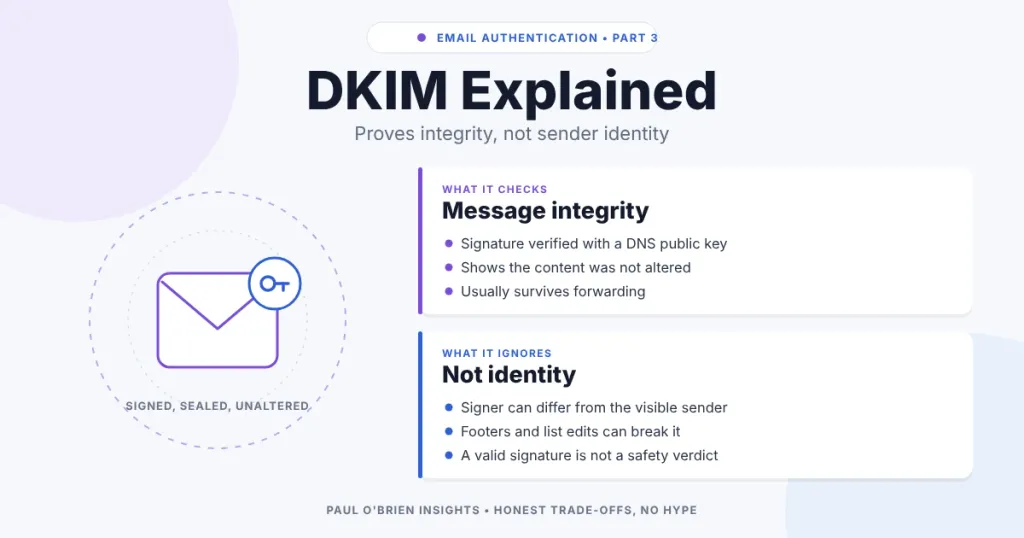
DKIM puts a cryptographic signature on an email. The sending server signs selected headers and the body with a private key, and the receiving server checks that signature against a public key published in DNS. A pass shows the message was not altered after signing and that a particular domain stands behind it. It does not show that the sender is who the From line says, or that the message is safe.
If you are here because of a dkim=fail header, a missing-selector error or a provider asking you to “enable DKIM”, this guide explains what is being signed, how to read a signature and a key record, how the major providers set it up and why good mail still fails. Standards and provider instructions were checked against RFC 6376, RFC 8301 and the providers’ own pages on 8 October 2026.
Short answer: publish the DKIM keys your provider gives you, use 2048-bit keys where you can, make sure the signing domain matches your From domain, and rely on DKIM rather than SPF when mail is forwarded. DKIM proves integrity, not identity. DMARC is what ties it to the From address.
This is part of a series on email authentication. Start with how SPF, DKIM and DMARC work together, then read the individual guides to SPF and DMARC.
In plain English: think of DKIM as a tamper-evident seal on a medicine bottle. The sender applies a hidden seal and the receiving provider checks it. An intact seal tells you the contents were not changed in transit and that the domain put its name to that exact text. It tells you nothing about whether the sender is friendly, honest or safe.
At a Glance: Who Needs to Care About DKIM
| User Profile | Best Fit? | Core Value Drivers / Key Trade-offs |
|---|---|---|
| Business sending from its own domain through several services | Ideal | Each service needs its own signing set up for your domain. Keys need occasional rotation. |
| Individual with a custom domain on a mailbox provider | Strong fit | Usually a few DNS records copied from the provider’s help page. Then it largely looks after itself. |
| Sender of bulk mail to Gmail or Yahoo | Required | Both providers expect SPF and DKIM and a DMARC policy from bulk senders. |
| Anyone whose mail is often forwarded | Strong fit | A DKIM signature usually survives forwarding when SPF does not. |
| Someone using a free Gmail or Outlook address | Not applicable | The provider signs for its own domain. |
What DKIM Actually Checks
The sending server picks a set of headers and the message body, hashes them and signs the hash with a private key that never leaves the sender. The signature is added as a DKIM-Signature header. The receiver reads the domain and selector from that header, fetches the public key from DNS, recomputes the hash and verifies the signature. If the body or any signed header changed, the check fails.
Reading a DKIM-Signature header
A simplified example:
DKIM-Signature: v=1; a=rsa-sha256; c=relaxed/relaxed; d=example.com; s=selector1; h=from:to:subject:date; bh=…; b=…
| Tag | Meaning |
|---|---|
v=1 | Version. Must be 1. |
a= | Signing algorithm. Signers must use rsa-sha256. RFC 8301 prohibits rsa-sha1. |
c= | Canonicalisation for headers and body. simple tolerates almost no change. relaxed tolerates common whitespace and header-folding changes. The default is simple/simple. |
d= | The signing domain. This is the identity that is vouching for the message, and the domain DMARC compares with the From domain. |
s= | The selector. Together with d= it tells the receiver where to find the key. |
h= | The list of headers that were signed. |
bh= | The hash of the body. |
b= | The signature itself. |
t=, x= | Optional signing time and expiry time. |
l= | Optional body length covered. Content added after that point is not protected, so most senders leave it out. |
The public key record
The key lives in DNS at selector._domainkey.yourdomain.com. Selectors let you run several keys at once, which is how providers rotate keys without downtime and how different services sign for the same domain.
selector1._domainkey.example.com. IN TXT "v=DKIM1; k=rsa; p=MIIBIjANBgkqhkiG9w0BAQEFAAOCAQ8A…"
| Tag | Meaning |
|---|---|
v=DKIM1 | Identifies a DKIM key record. First tag, if present. |
k=rsa | Key type. RSA is the default. |
p= | The base64 public key. An empty p= means the key has been revoked. |
t=y | Testing mode. t=s restricts signing to exactly the d= domain. |
What DKIM Ignores
A DKIM pass guarantees much less than people assume. RFC 6376 is explicit that the signing domain does not have to match any address in the message, including the From header. That gap is the whole reason DMARC exists.
| DKIM covers | DKIM ignores |
|---|---|
| The signed headers and body have not changed since signing | Whether the visible From address belongs to the signing domain |
A named domain (d=) takes responsibility for the message | The reputation of that domain |
| The signature verifies against a published key | The intent: phishing links, malware or scams |
Anyone can register a throwaway domain, set up DKIM correctly and send signed spam that passes. The signature is valid because the maths works, not because the message is good.
Why Legitimate Email Fails DKIM
DKIM breaks when something changes a signed part of the message after it leaves the sender. Most failures are operational rather than malicious.
| Cause | What goes wrong | Fix |
|---|---|---|
| Mailing lists and gateways | Footers, disclaimers or unsubscribe links change the body. | Use relaxed canonicalisation, avoid l=, and sign with your own domain so DMARC can still pass on the original signature where the list preserves it. |
| Forwarding services | Subject changes or re-encoding alter signed content. | Not usually fixable by the sender. ARC helps some receivers trust forwarded mail. |
| Security appliances | Warning banners inserted into the body. | Sign after the appliance, or exclude the banner behaviour from outbound mail. |
| Missing or wrong selector | The receiver cannot find a key at the published name. | Check the exact host name, including _domainkey, and that the record is on the right domain. |
| Malformed key record | Long keys split badly, stray spaces or quotes, or a truncated p= value. | Copy the record exactly as the provider gives it. Many DNS hosts need long values split into quoted strings. |
| Revoked or expired key | An empty p=, or a rotated selector removed too soon. | Keep old selectors published until mail signed with them has been delivered. |
| Service signs with its own domain | DKIM passes for the provider’s domain, so DMARC alignment fails. | Enable custom-domain signing in the service. |
Key Length and Algorithms
RFC 8301 updated the original standard. Signers must use rsa-sha256, rsa-sha1 must not be used, signers must use RSA keys of at least 1024 bits and should use at least 2048 bits, and verifiers must not treat signatures from keys under 1024 bits as valid. Google and Yahoo both set 1024 bits as the minimum for bulk senders, and Google recommends 2048.
The practical advice is simple: choose 2048 bits whenever your DNS host accepts a record that long. Most do, using a split TXT string or a CNAME to the provider.
How the Major Providers Set Up DKIM
| Provider | What you publish | Notes |
|---|---|---|
| Google Workspace | A TXT record at google._domainkey (default selector google) with a value starting v=DKIM1 | Choose 2048 where your DNS host supports it. Google says it can take up to 48 hours for DKIM to start working after adding the key. |
| Microsoft 365 | Two CNAME records, selector1._domainkey and selector2._domainkey, pointing to Microsoft-hosted names | Use the exact values your tenant shows, which differ by domain. The CNAMEs let Microsoft manage and rotate the keys. Microsoft documents a 1024-bit default with the option of 2048, and says a new key takes about four days to start signing after rotation. |
| Fastmail | Three CNAME records: fm1._domainkey, fm2._domainkey and fm3._domainkey, pointing to fmN.yourdomain.com.dkim.fmhosted.com | Fastmail hosts and rotates the keys behind the CNAMEs. Subdomains use a separate set. |
The pattern is worth noticing. Providers that use CNAMEs hold the private keys and can rotate them for you. A TXT record means you paste in a public key and keep track of it yourself.
How to Check DKIM
- Send a test message to a Gmail account, open Show original and look for
dkim=pass. Note theheader.d=domain it passed for. - Check it matches your From domain. If
header.dis your email provider rather than your domain, DMARC alignment will fail through DKIM. - Look up the key. Run
dig +short TXT selector._domainkey.yourdomain.comusing the selector from the signature, or check the CNAME if your provider uses one. - Read your DMARC reports. They show every source signing as your domain and whether DKIM passed and aligned.
DKIM Within the Wider System
DKIM is one signal among three. SPF checks the sending server’s IP address. DKIM checks the integrity of the message and names a signing domain. DMARC sits above both, checks that the domain which passed matches the From address and sets the policy: none, quarantine or reject. Without enforced DMARC, a DKIM signature does not tie the message to the brand the reader sees.
DKIM also has a practical edge over SPF. A signature travels with the message, so it can still verify after forwarding, where SPF usually breaks. That makes it the more dependable of the two for DMARC in many real-world cases.
Frequently Asked Questions
What does DKIM stand for?
DomainKeys Identified Mail. It is defined in RFC 6376 and lets a domain sign outgoing messages so receivers can check them.
What is a DKIM selector?
A label that, with your domain, points to a specific public key in DNS, in the form selector._domainkey.yourdomain.com. It lets you publish several keys and rotate them without interruption.
Does DKIM prove an email is genuine?
No. It proves the signed content was not changed and that the signing domain took responsibility. It does not prove the visible From address is genuine, or that the message is trustworthy.
Can DKIM pass while DMARC fails?
Yes. DMARC needs the DKIM signing domain to align with the From domain. A service that signs with its own domain passes DKIM but fails DMARC alignment until you configure custom-domain signing.
Should I use 1024-bit or 2048-bit keys?
2048 where you can. 1024 is the minimum that RFC 8301 allows and that Gmail and Yahoo require, but 2048 is recommended.
Why does DKIM fail on forwarded mail?
Usually because the forwarder or a mailing list changed the subject or body after signing. Relaxed canonicalisation tolerates whitespace changes but not edits to content.
How often should I rotate DKIM keys?
Microsoft compares it with changing passwords: do it periodically. If your provider uses CNAMEs, rotation is largely handled for you. If you manage TXT keys yourself, publish the new selector first, switch signing, and remove the old key only after mail signed with it has been delivered.
The Bottom Line
DKIM is a mechanical integrity check, not a trust badge. It answers whether a message arrived unchanged and which domain signed it. Turning that into something readers can rely on takes DKIM and SPF working under a DMARC policy that checks alignment with the From address.
Sources: RFC 6376; RFC 8301; Google Workspace: set up DKIM; Microsoft Learn: set up DKIM; Fastmail: domain set-up. No affiliate links in this article.

